
From client request to translator payout, in one system
TRAVERSE.PLUS is the system we built to run our own translation projects. Your company can now have it too: installed on your server, under your logo, with no annual subscription.
€10,000 perpetual licence, one-off payment
- Perpetual licence, no subscription
- Unlimited users and projects
- On your server, your data stays with you
Three parts, one system
Each part has its own address and its own sign-in. All three work on the same data.
Central system
for your project managers
Projects, quotes, translators, invoices and reports. Everything that happens on the two portals arrives here.
pm.yourcompany.comClient portal
for your clients
They send documents, accept quotes, pay and download finished translations.
customer.yourcompany.comTranslator portal
for your translators
They accept jobs, download files, hand in their work and receive monthly statements.
translators.yourcompany.comThe system works in English, German and Serbian. Every user chooses their own language, and documents go out in the language of the client or the translator.
Every page, and what you do on it
Click an image to see it full size. The manual below describes each page step by step.
Central system
for your project managers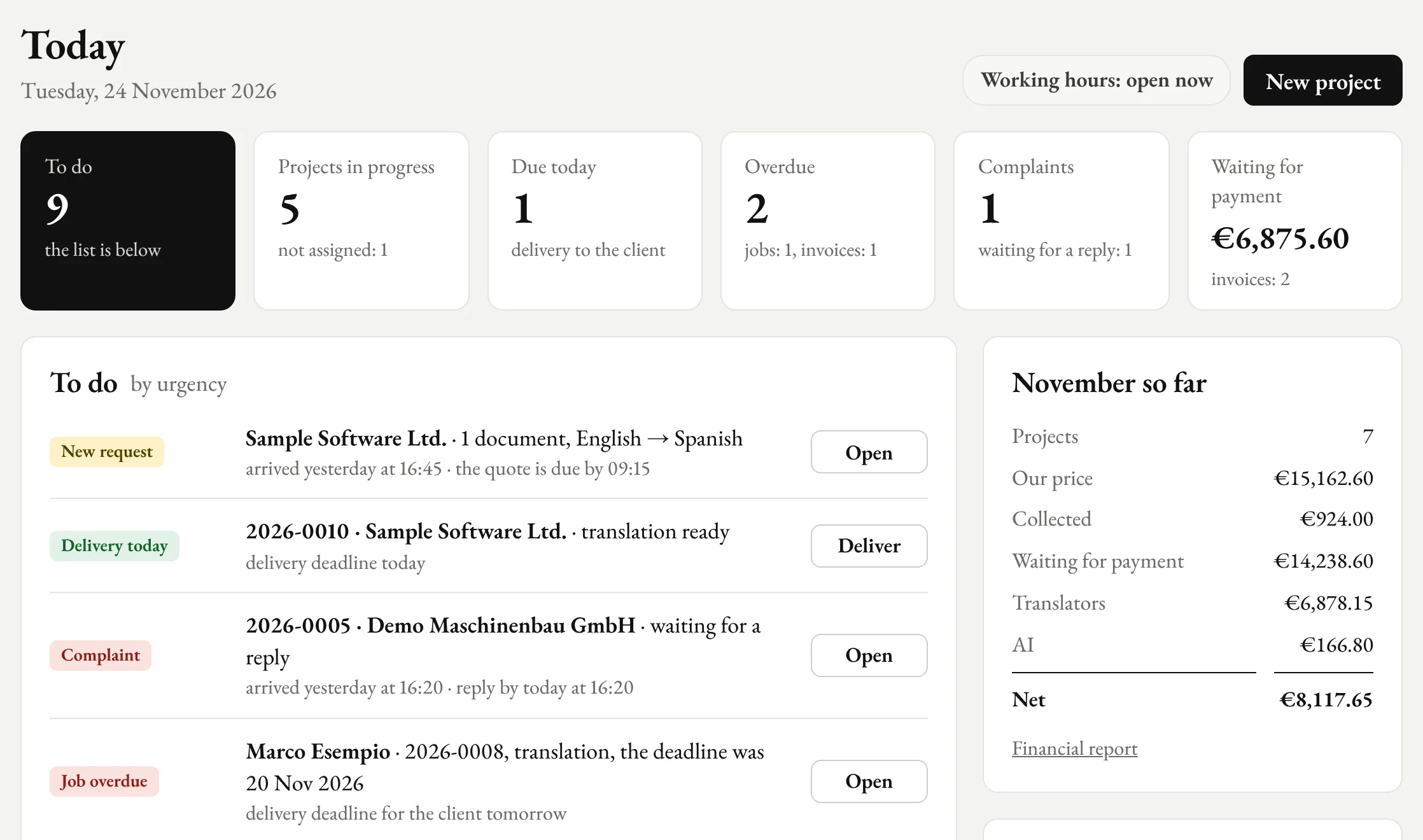
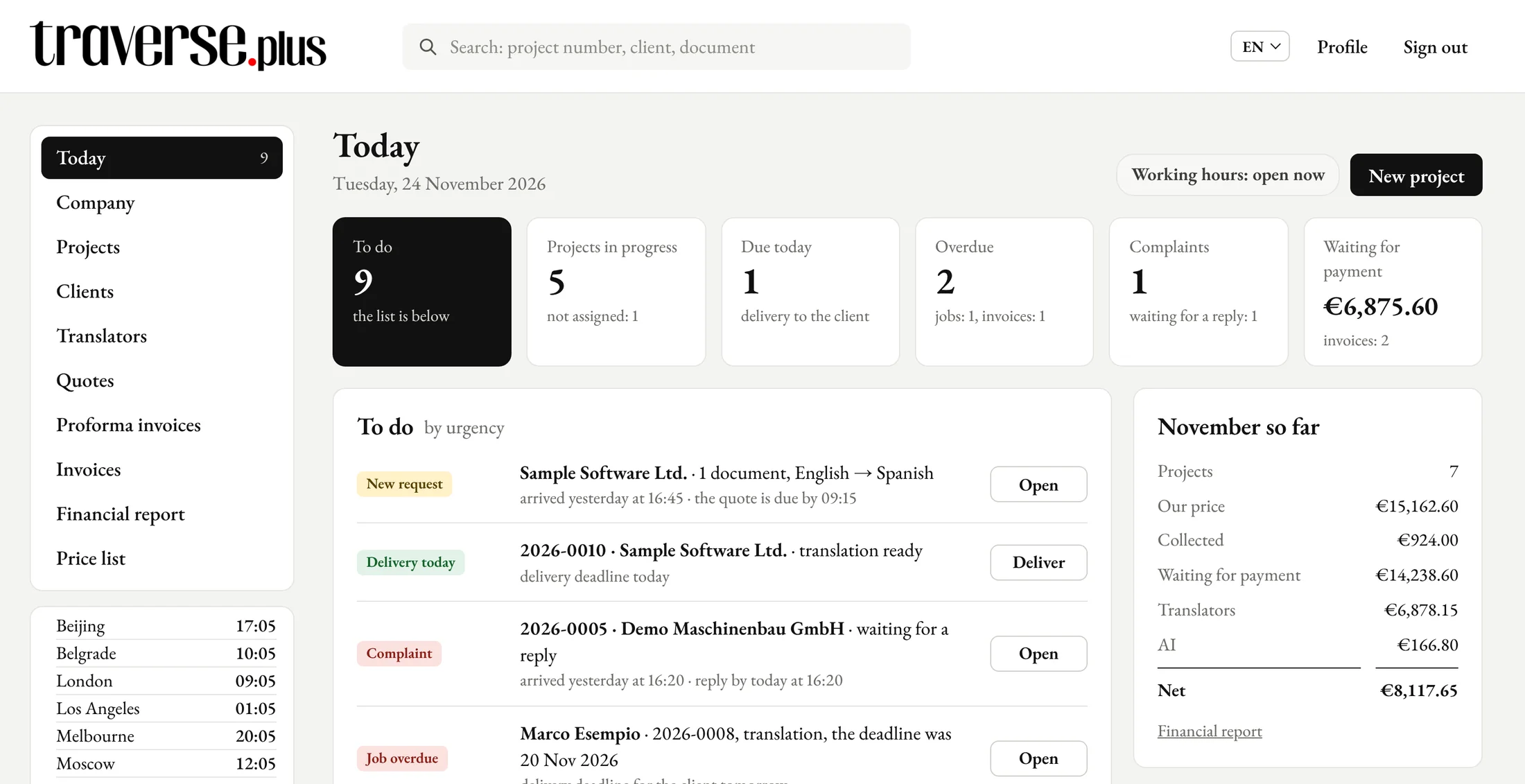
Today
Open it every morning. It lists what needs doing, most urgent first: new requests, deliveries due, late jobs, complaints, payouts. Each line has a button that takes you straight to the task.
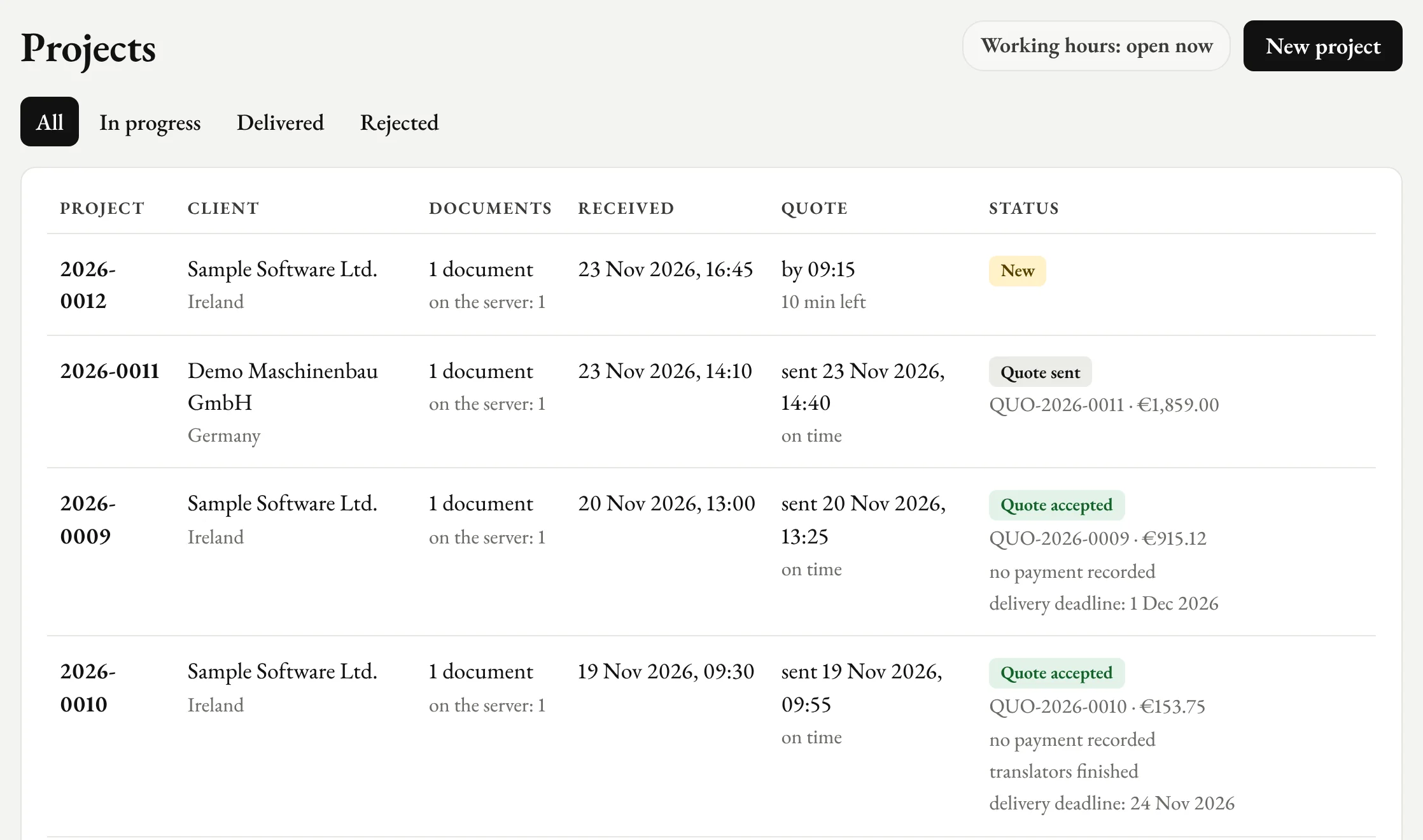
Projects
Every request becomes a project with its own number. Filter the list to see what is in progress, delivered or rejected, and open any project with one click.
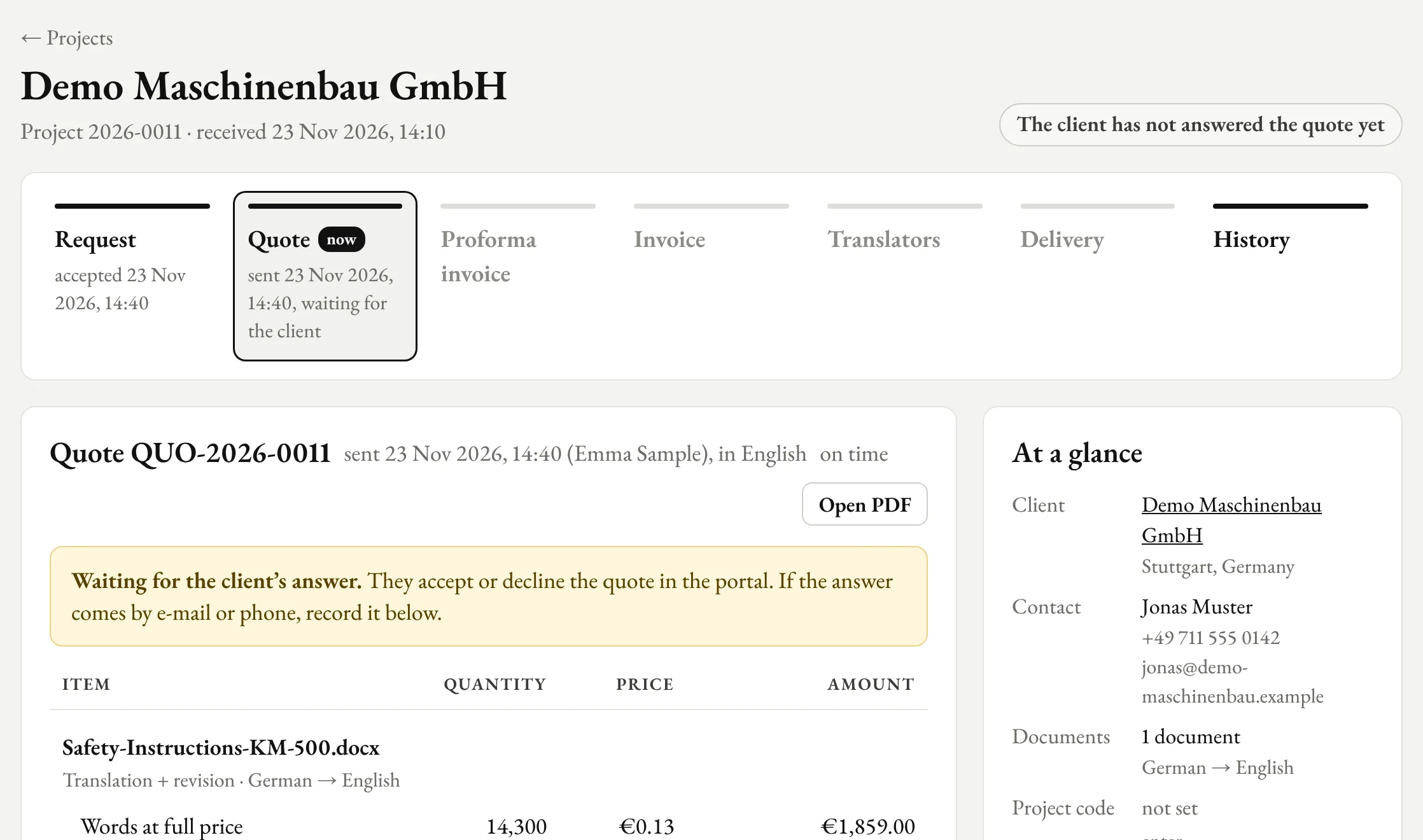
One project, step by step
Request, quote, proforma invoice, invoice, translators, delivery, history. The bar at the top shows where the project stands. Click a step to do the work in it.
Clients
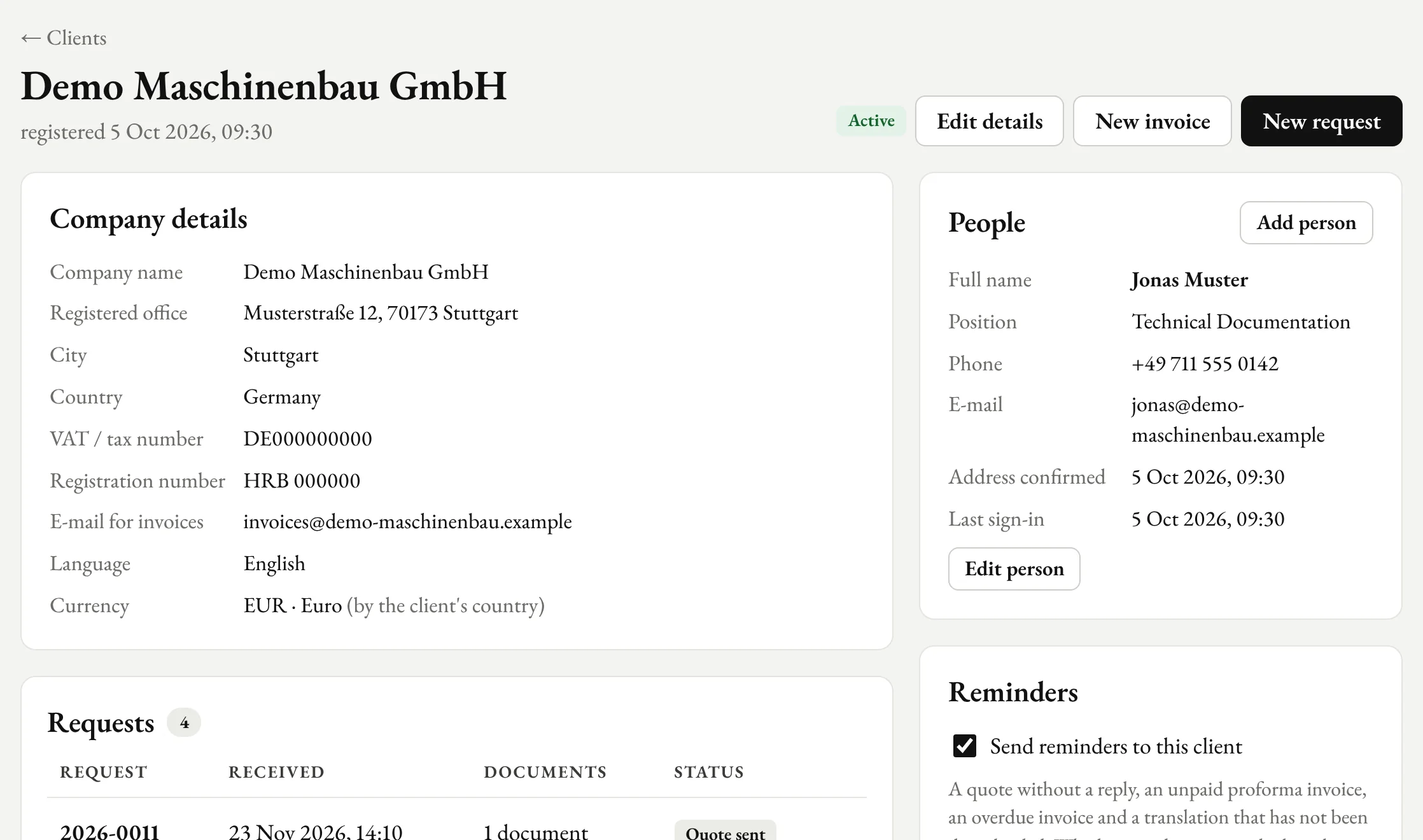
Company details, contact people, requests and reminders for each client on one page. Clients register on the portal themselves, or you enter them.
Price list and CAT analyses
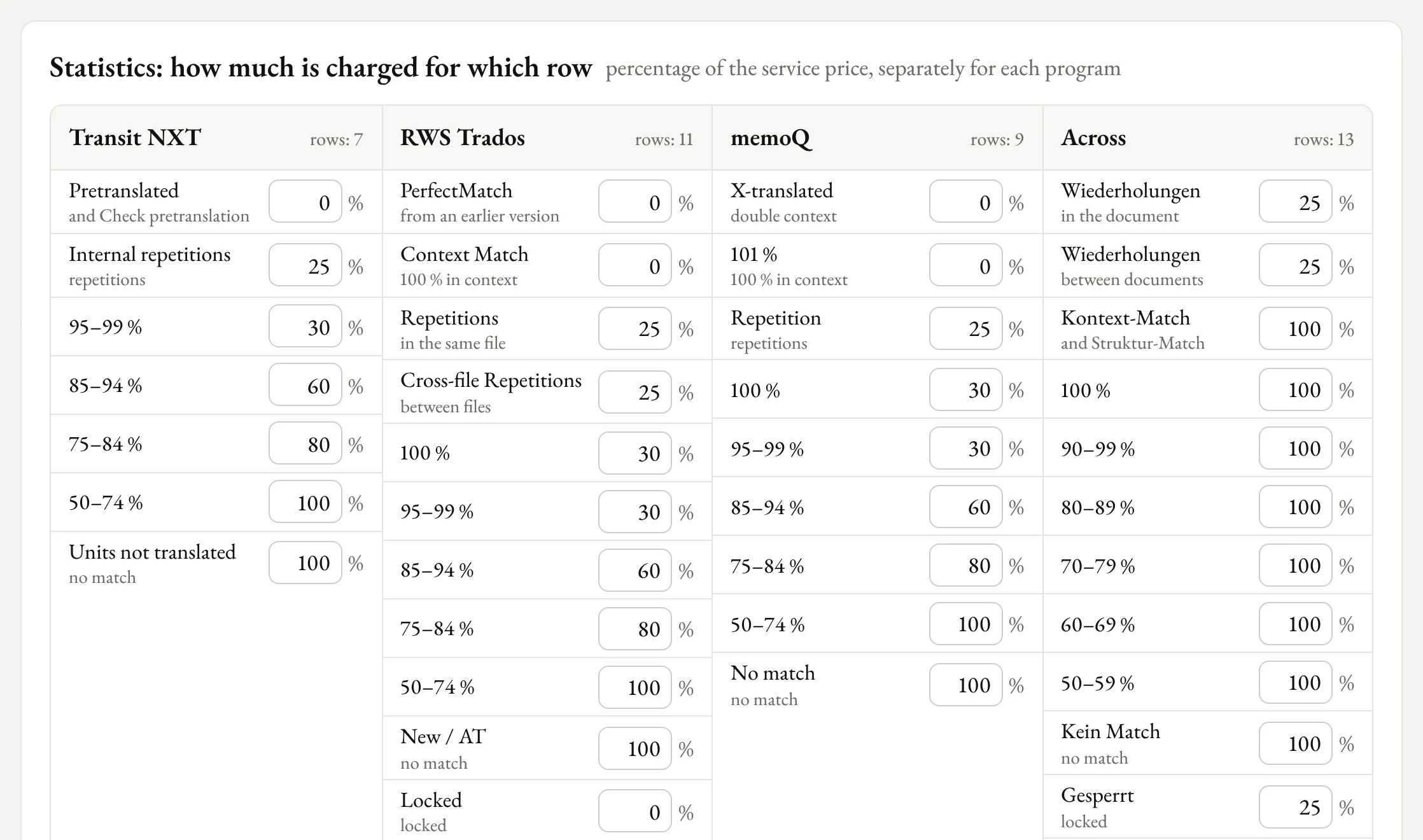
Enter your prices per word once. For Trados, memoQ, Transit and Across you set what you charge for each match band, and the quote is calculated from the analysis report.
Translators and margin
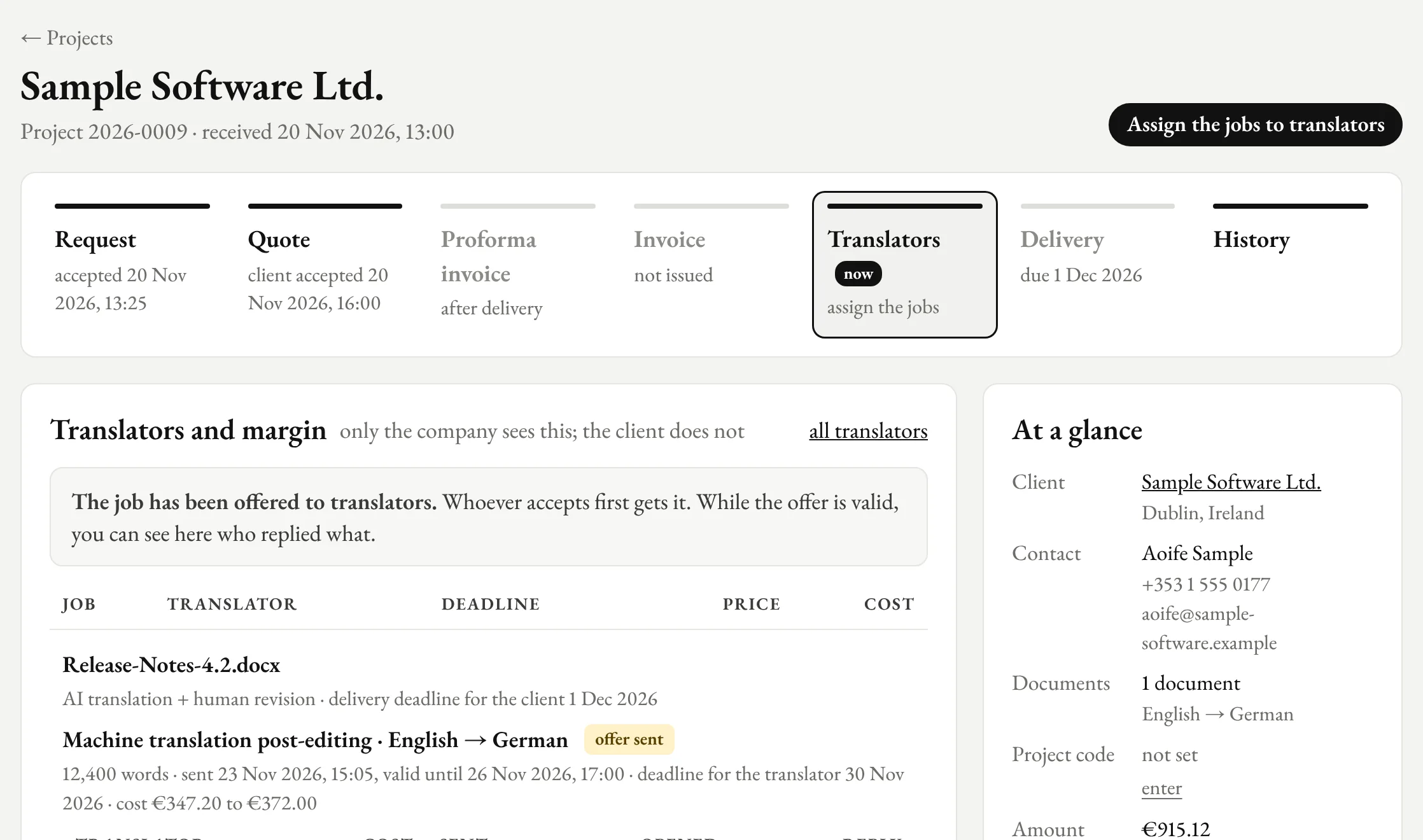
Assign a job to one translator, or offer it to several: whoever accepts first gets it. Price, cost and margin are on the screen before you decide.
Ratings
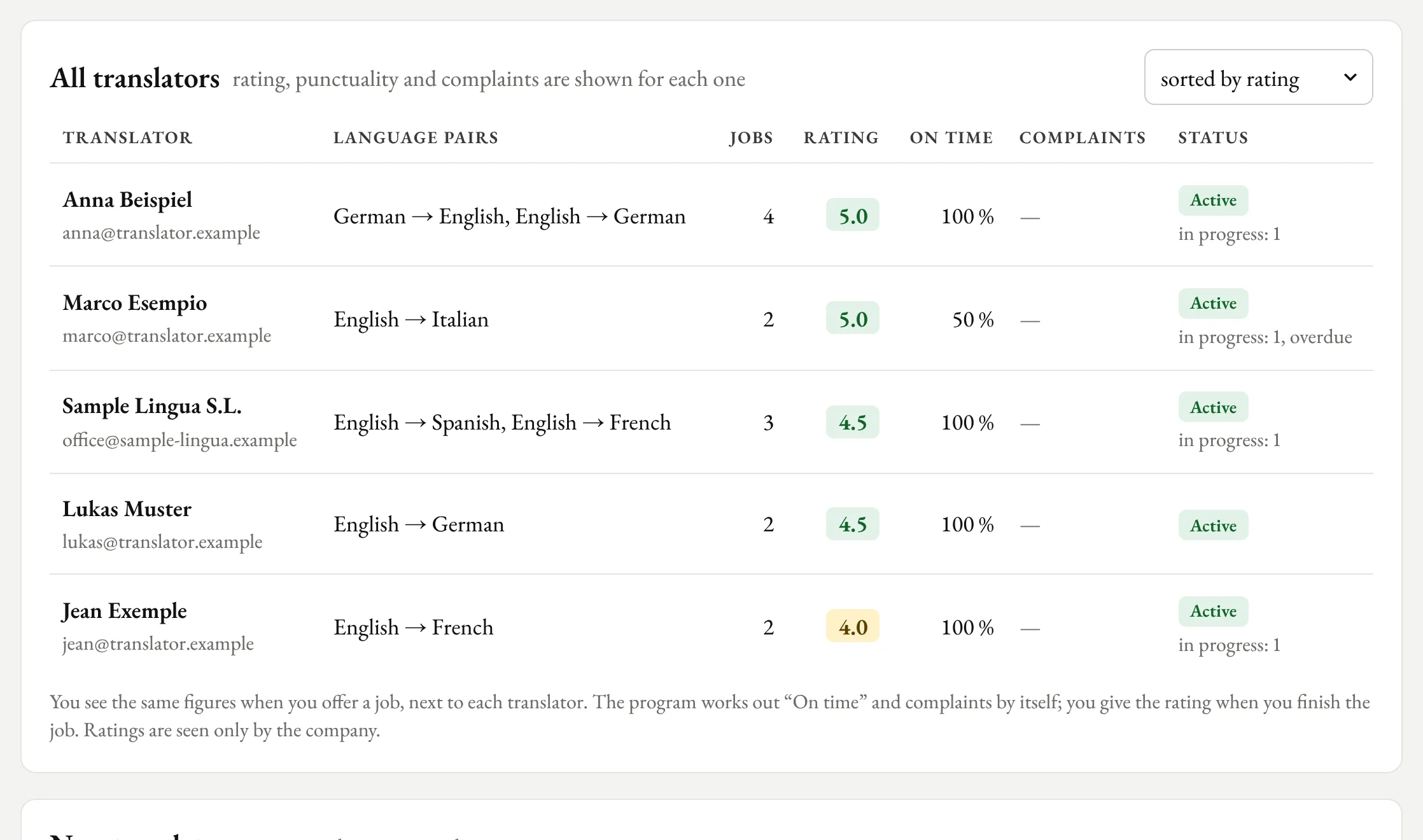
Rate each finished job from 1 to 5. The average rating, on-time deliveries and complaints stand next to every translator when you assign the next job.
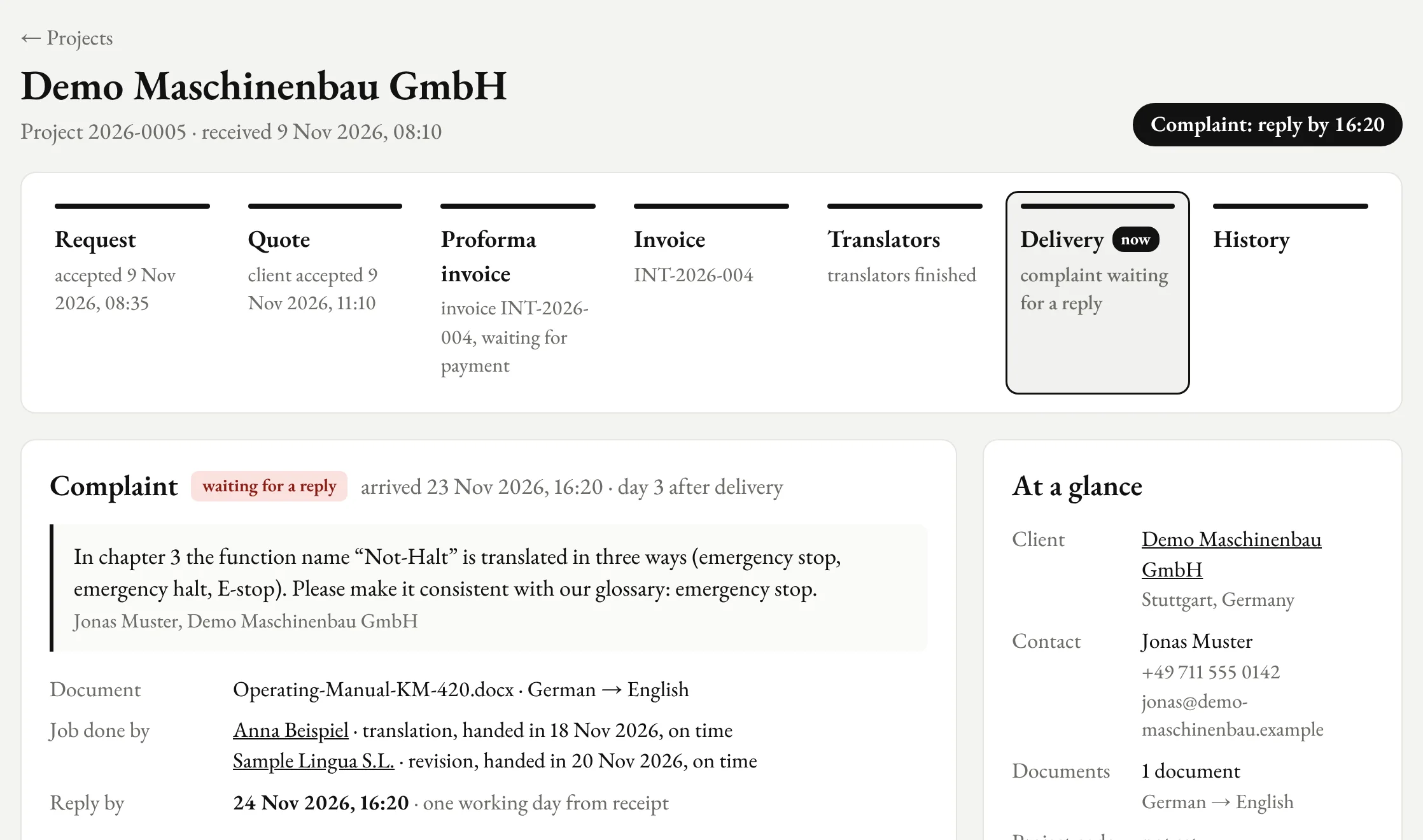
Complaints
A client files a complaint on the portal. You return the job to the translator, reply to the client and close the complaint. The reply deadline is always in view.
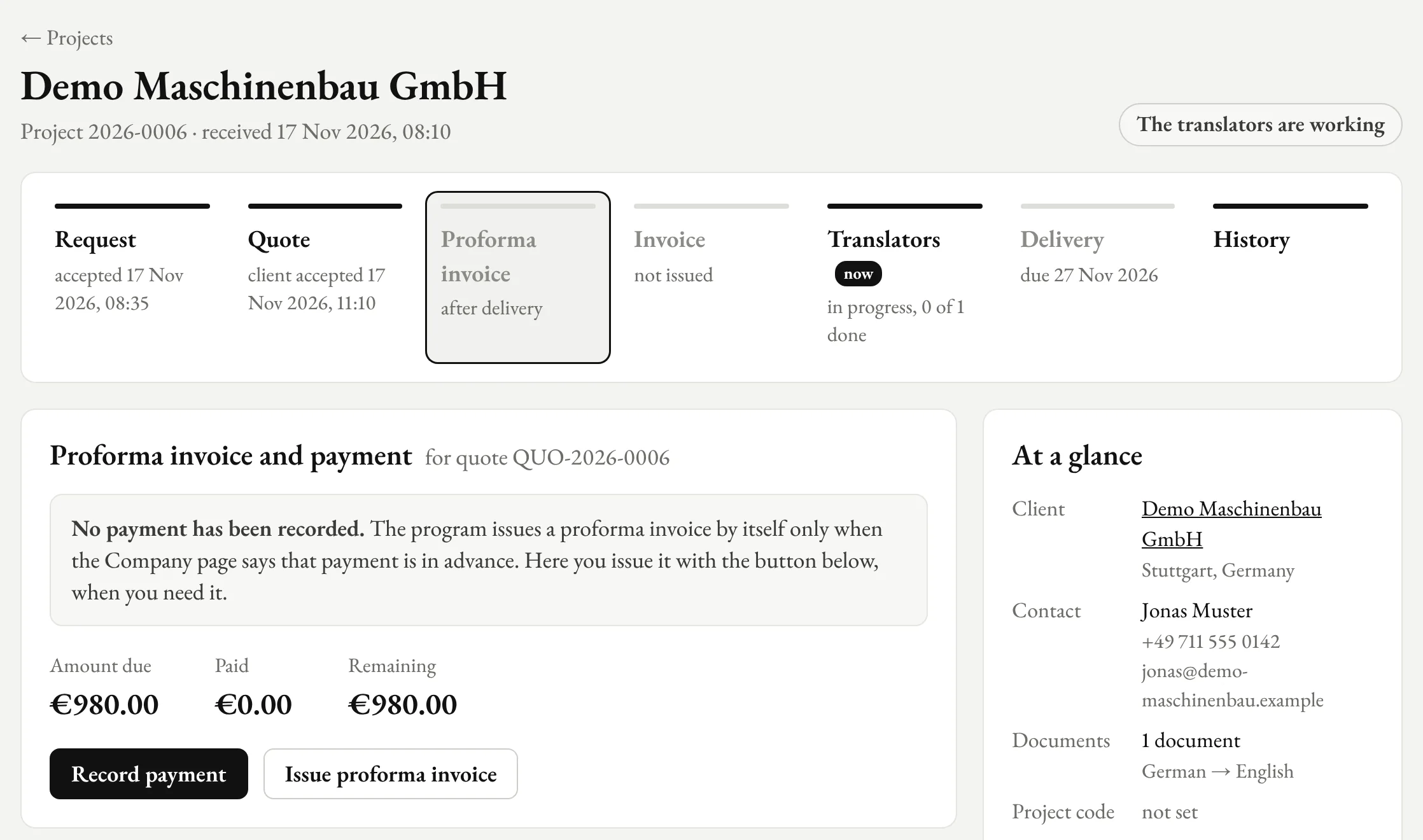
Proforma invoices and payments
The proforma invoice is made from the accepted quote. You record a bank payment with one click, or the client pays by card. The invoice follows from the same data.
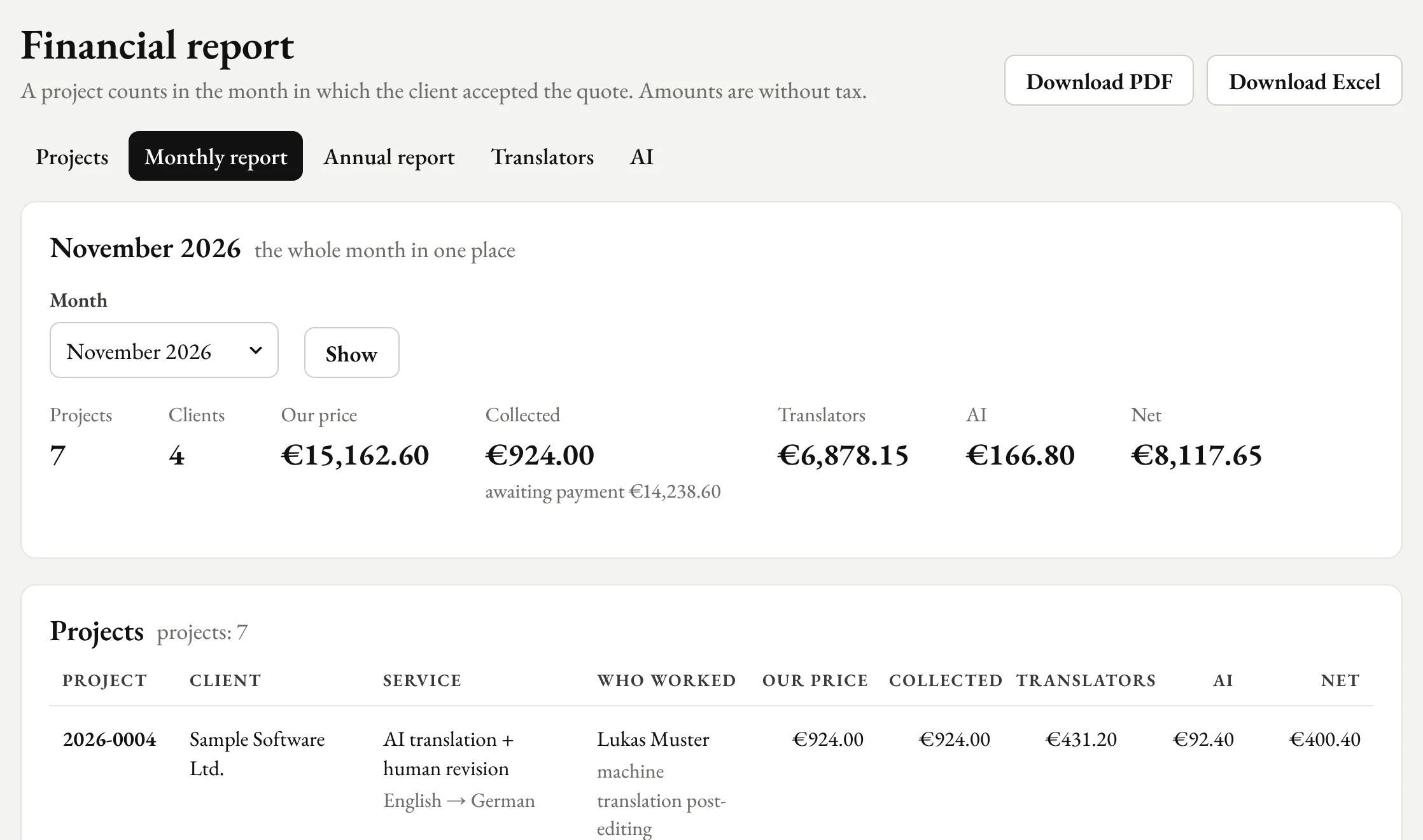
Financial report
By month and by year: your price, collected, translators, AI and net, for every project and every client. Download it as PDF or Excel.
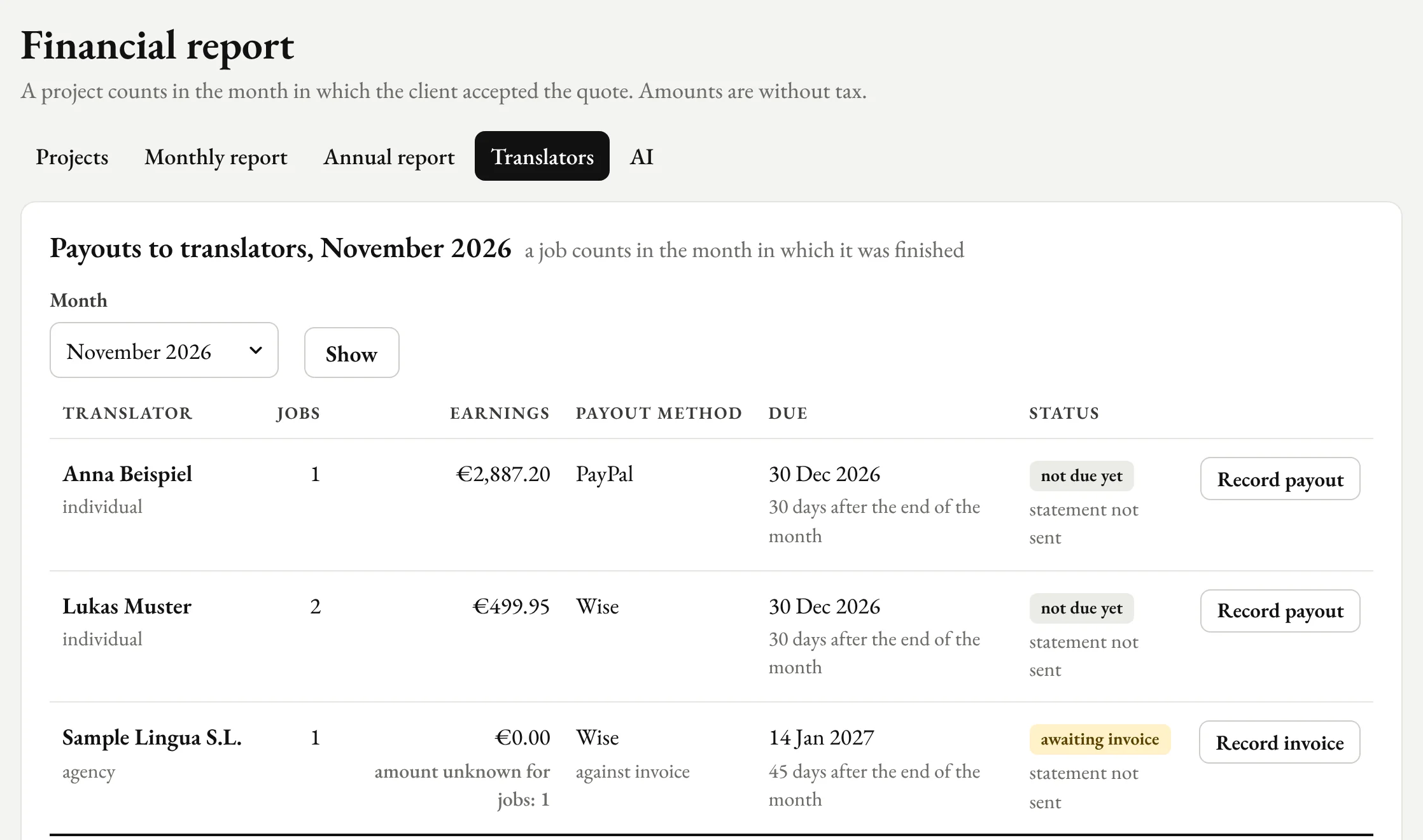
Payouts to translators
At the end of the month the system prepares a statement for each translator and sends it by e-mail. You record the payout when you make it.
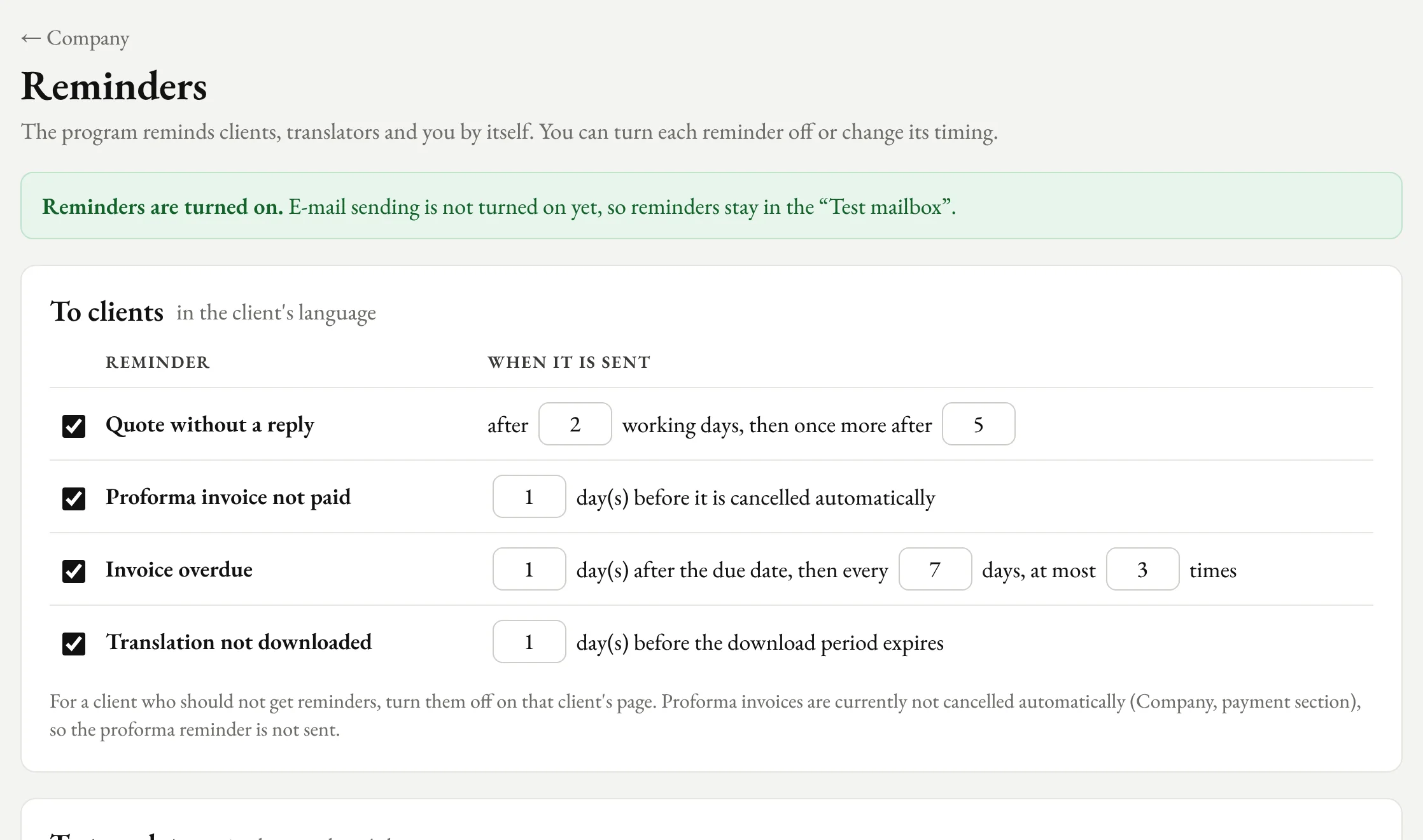
Reminders
The system reminds clients about quotes without a reply and overdue invoices, and translators about deadlines. Tick the reminders you want and set when they go out.
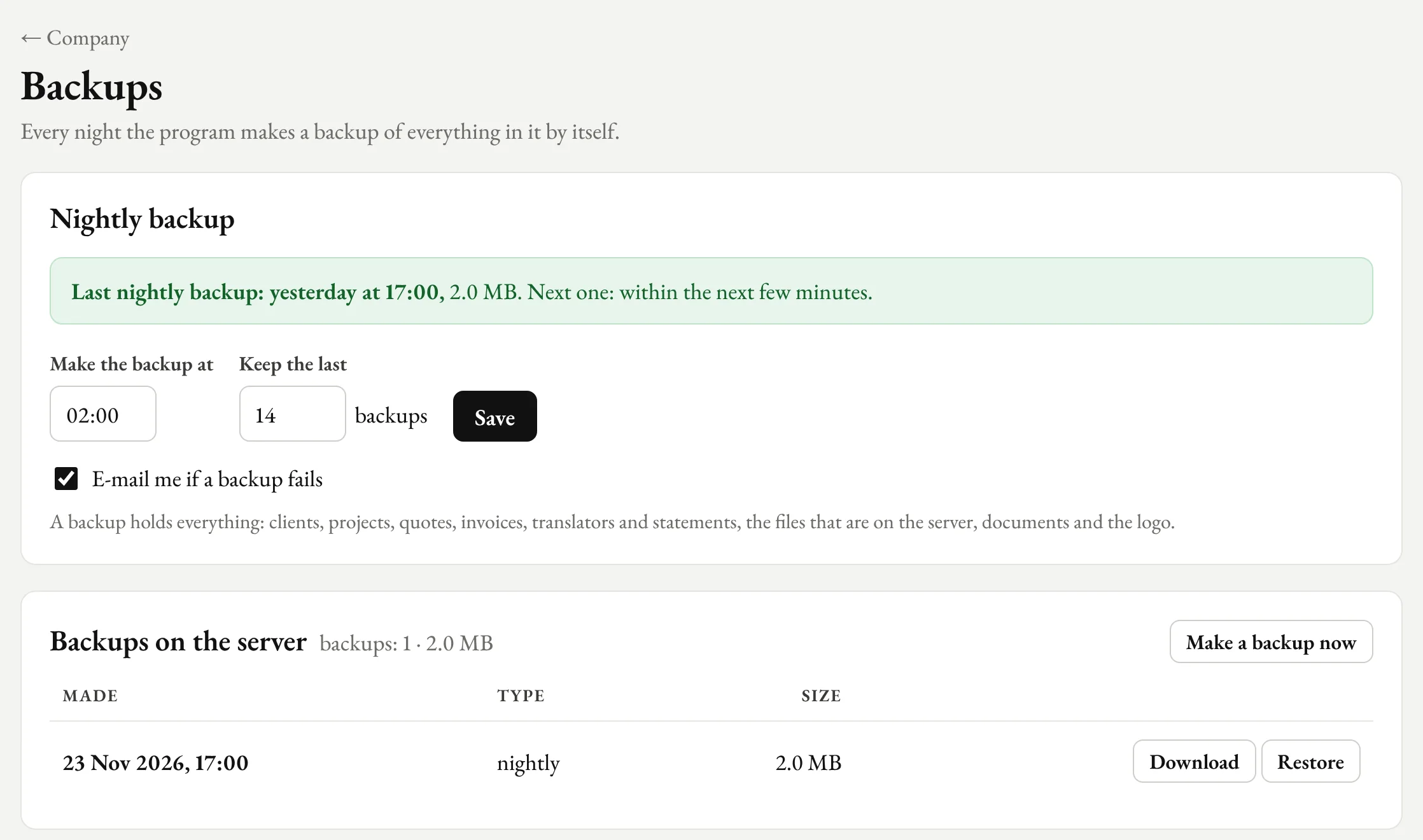
Backups and new versions
A backup of everything is made every night, and you restore one with a single click. A new version is installed by choosing one file.
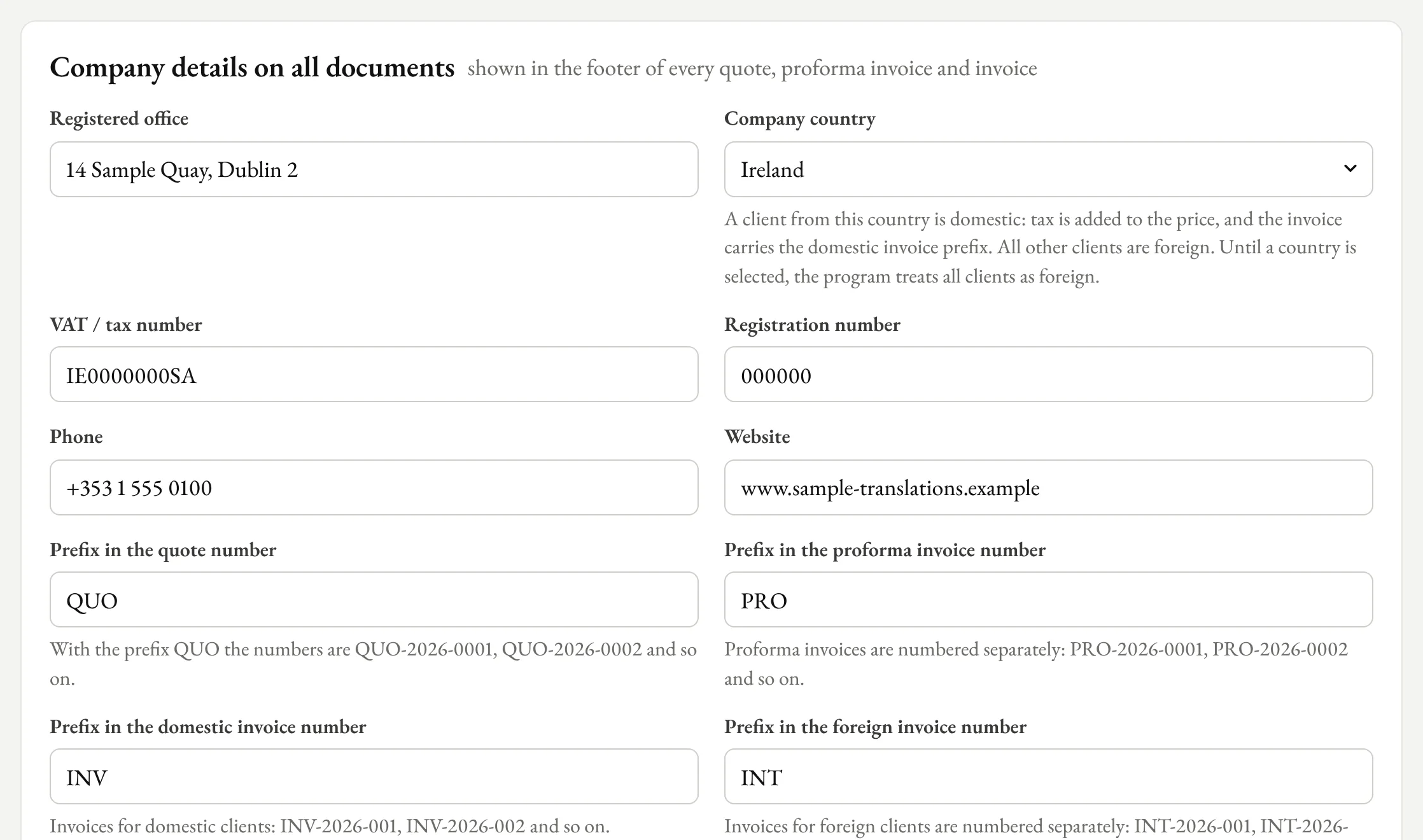
Company and staff
Upload your logo and enter your company details: they appear in the header and on every document. Give each employee an account; the log shows who did what.
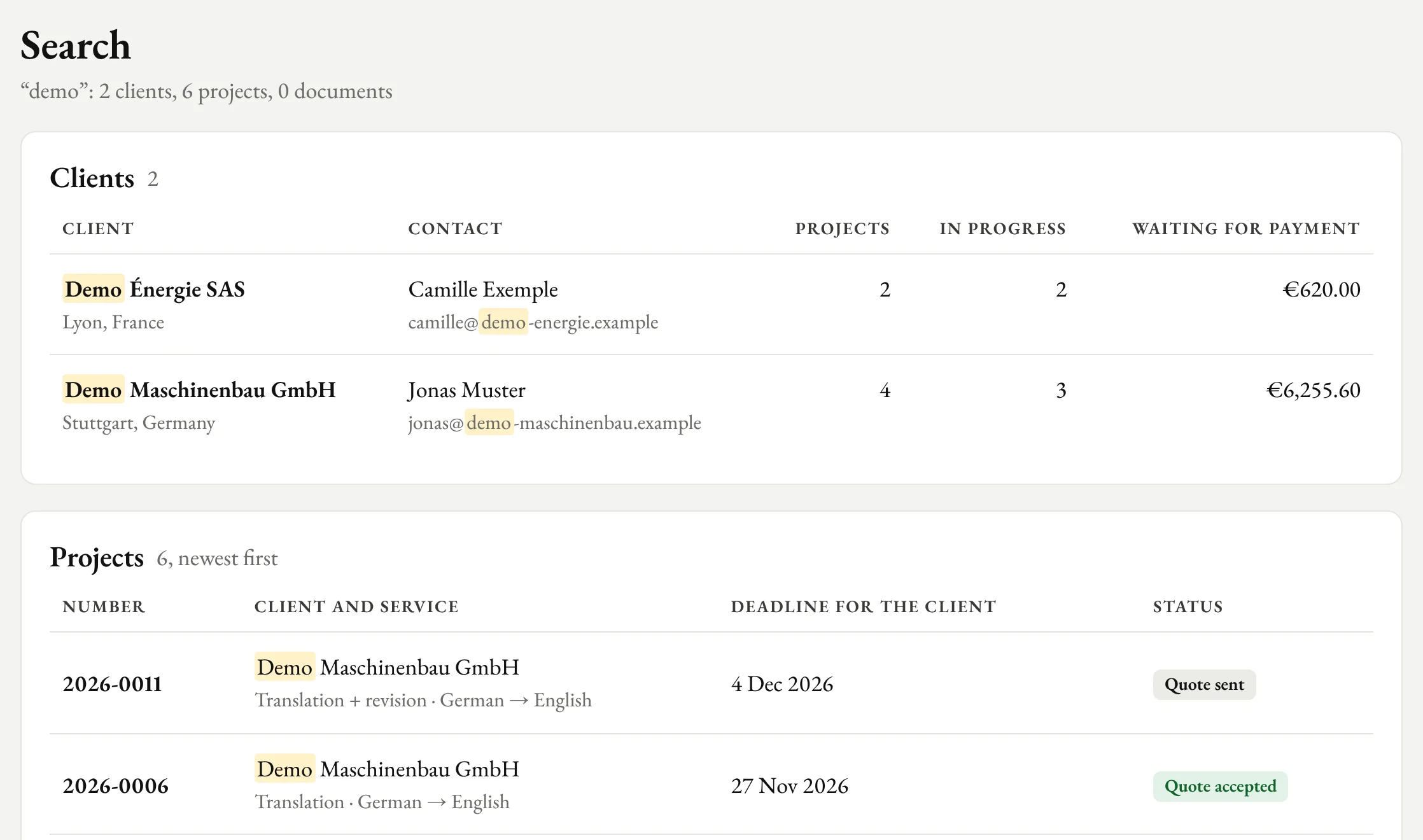
Search
Type a project number, a client or a file name into the field at the top of any page. A full project number opens the project at once; otherwise you get clients, projects and documents in three groups.
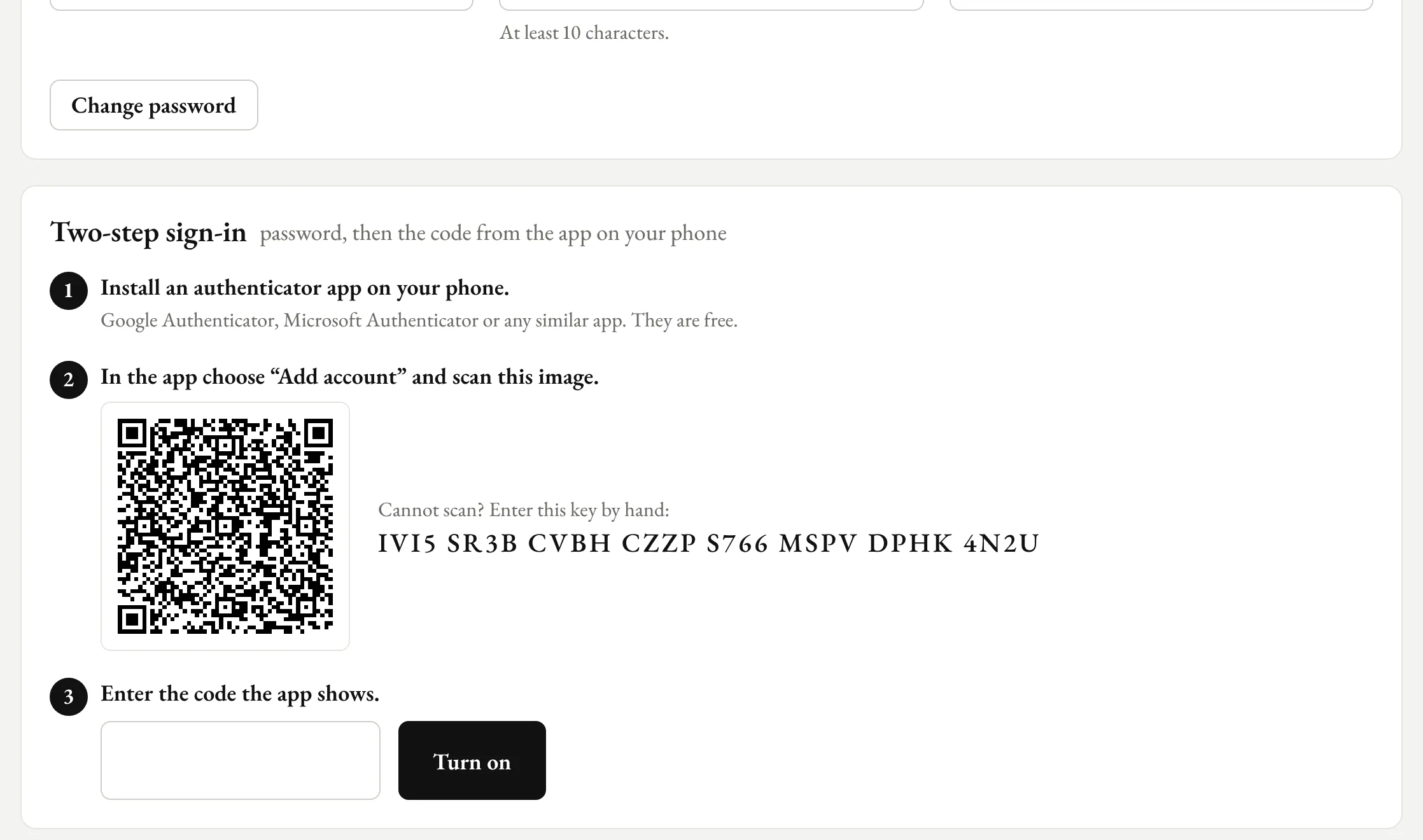
Two-step sign-in
Staff sign in with a password and then a six-digit code from an app on their phone, such as Google Authenticator. You can make the second step mandatory for all accounts.
Client portal
for your clients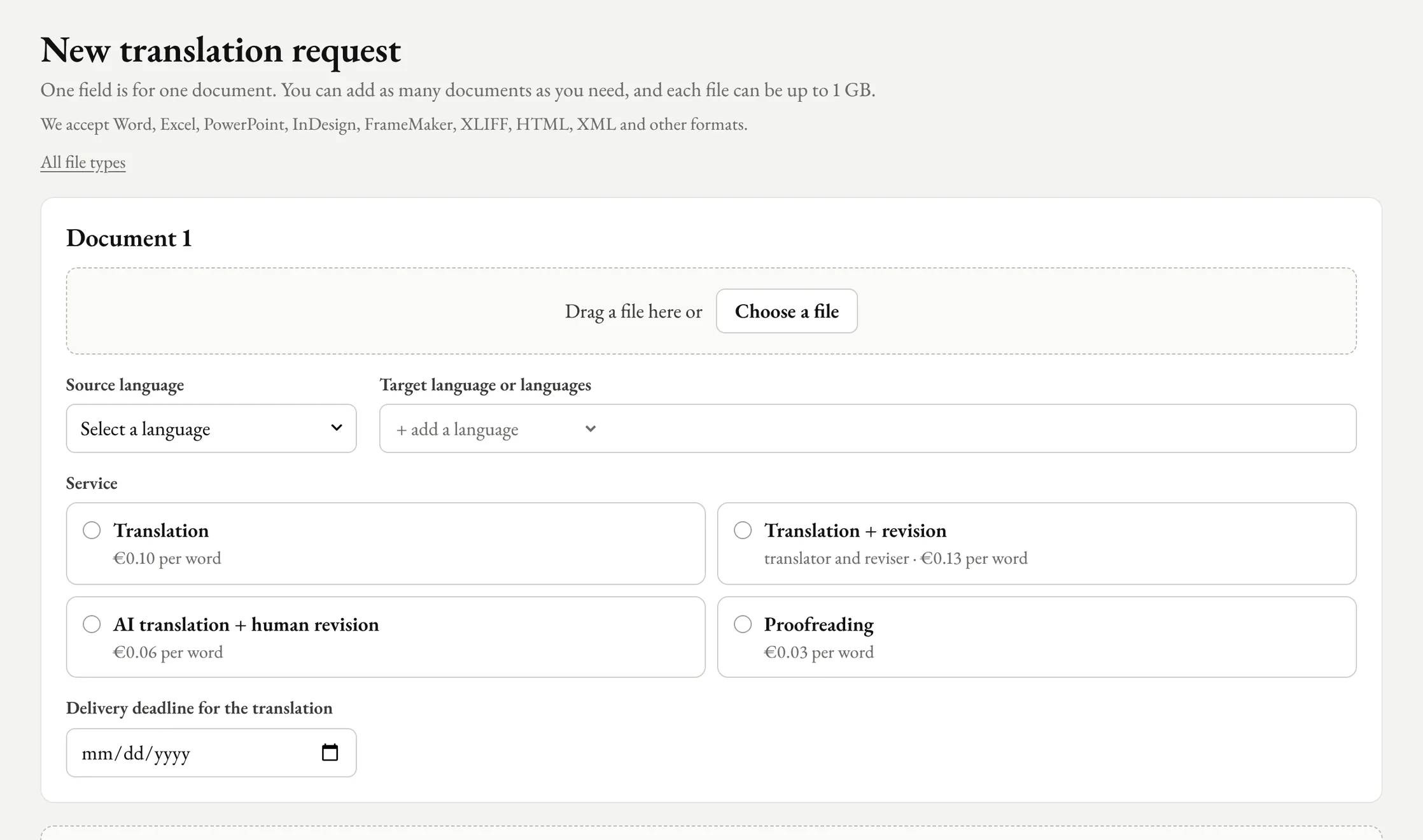
New request
The client adds the documents, chooses the languages, the service and the deadline, and sends the request. Files go straight to your server, so nothing travels by e-mail.
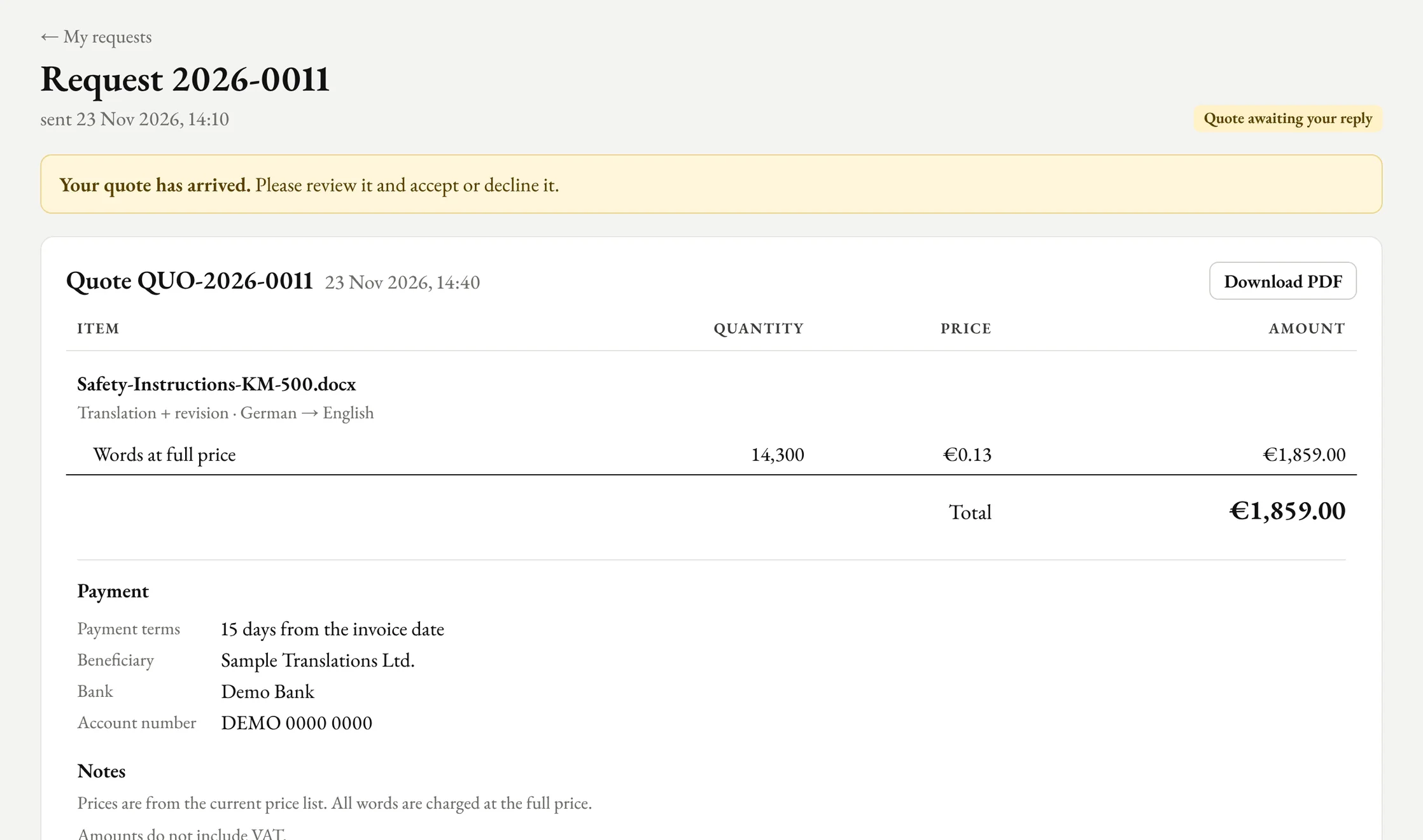
Quote and payment
The quote appears on the request page and can be downloaded as PDF. The client accepts it and pays by bank transfer or by card.
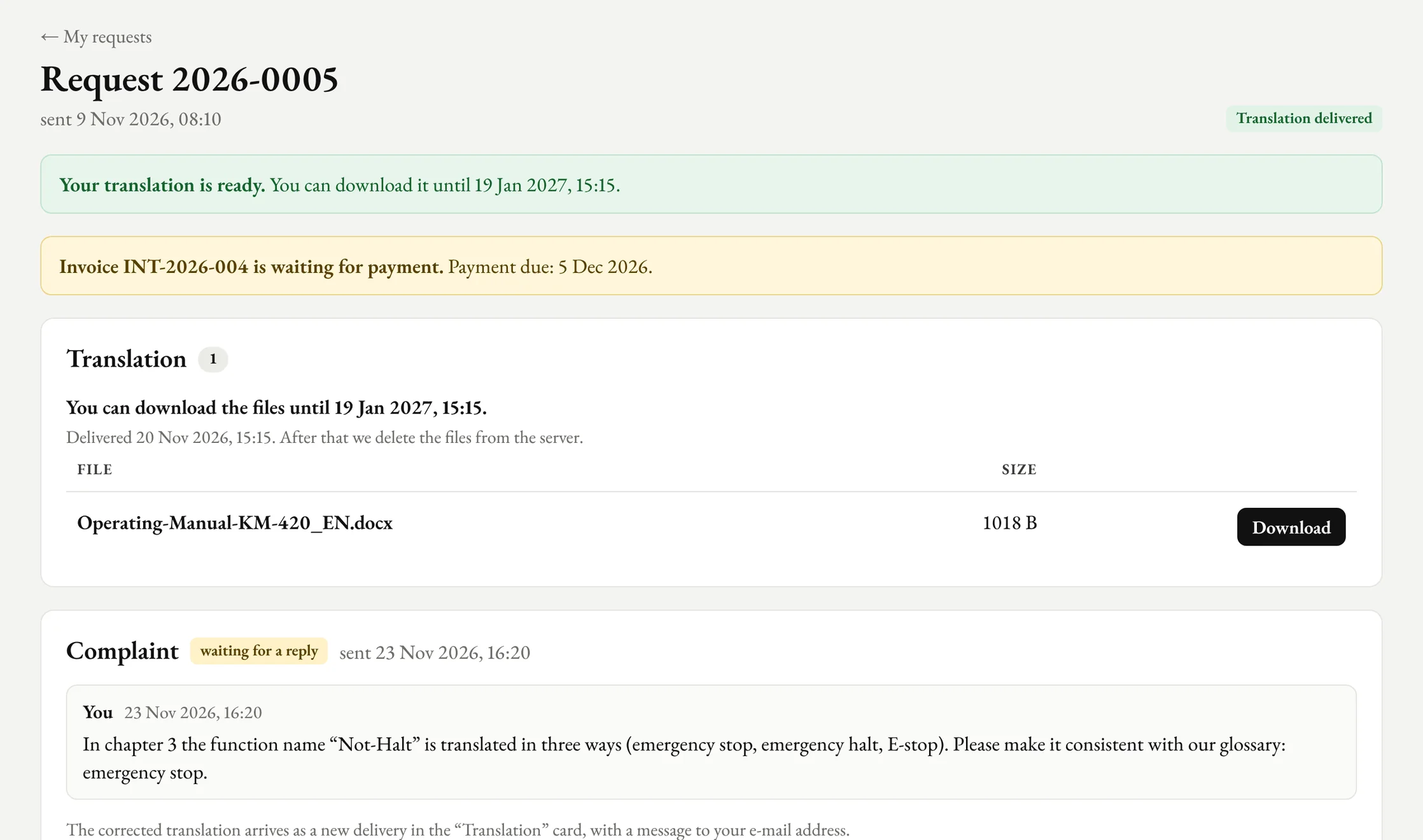
Download
When the translation is ready, the client downloads it from the same page. The page shows until when the files are kept.
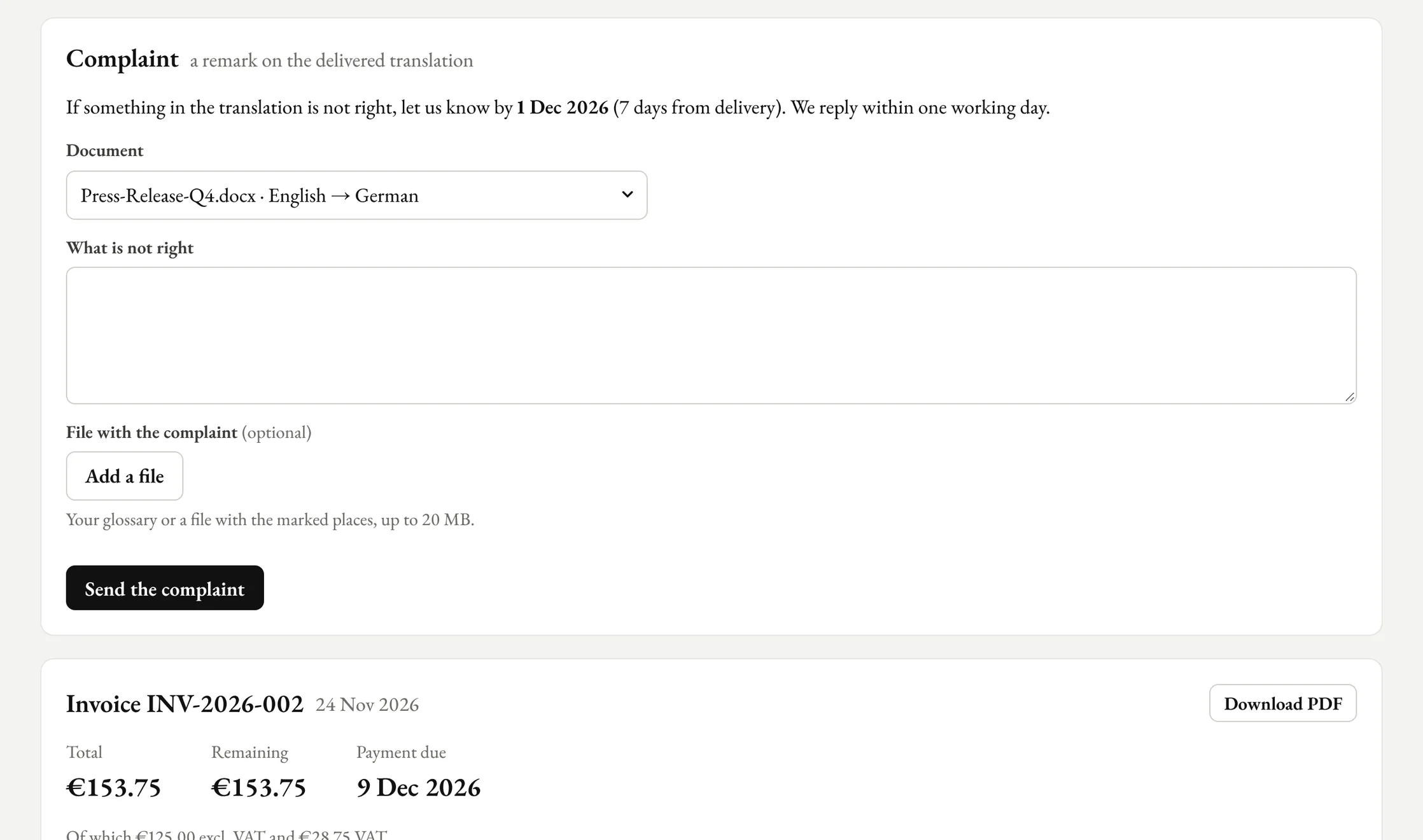
Complaint
If something is not right, the client chooses the document, writes what is wrong and can attach a file. The page shows the last day for a complaint.
Translator portal
for your translators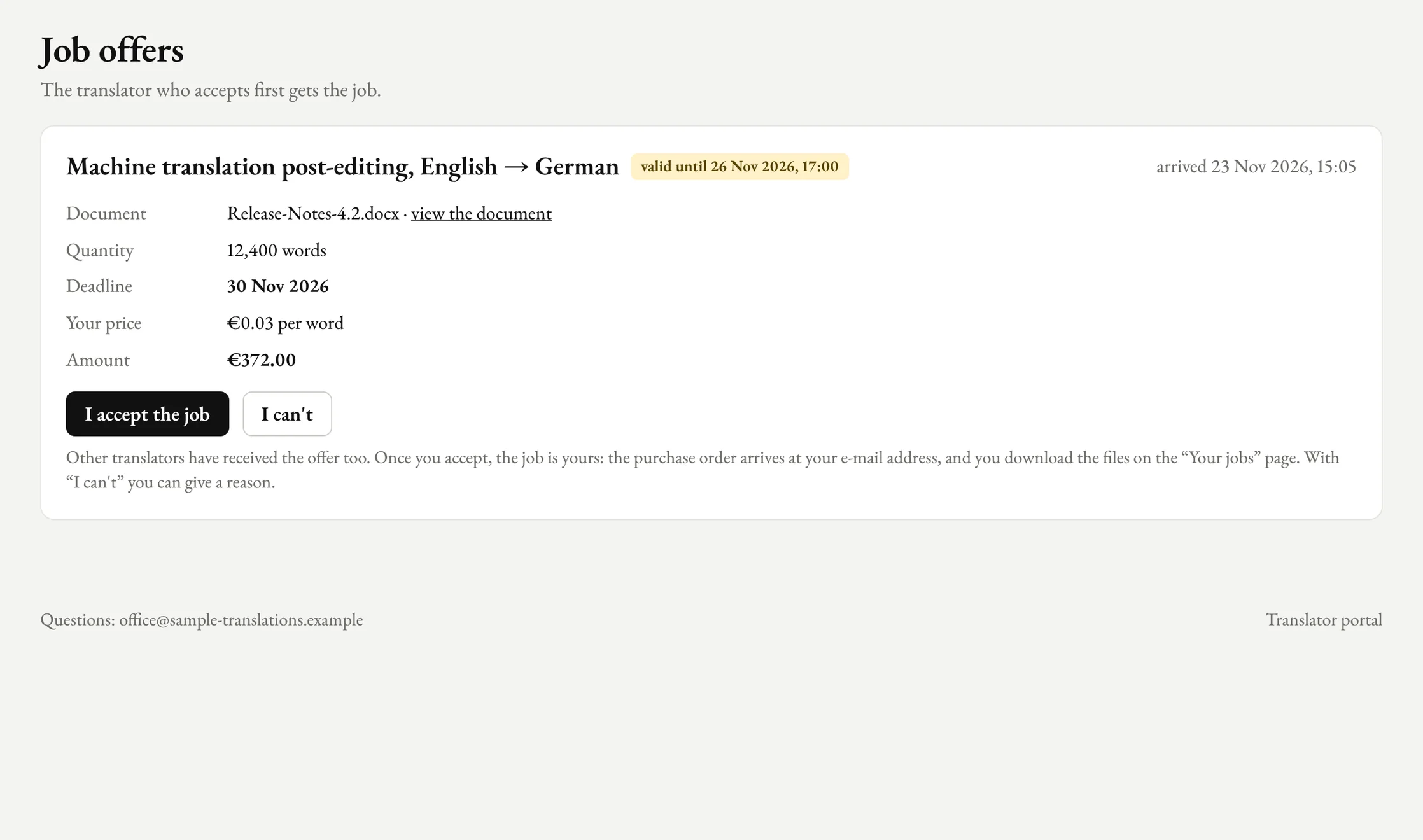
Job offers
The translator sees the document, quantity, deadline and fee, and clicks “I accept the job” or “I can’t”. Whoever accepts first gets the job.
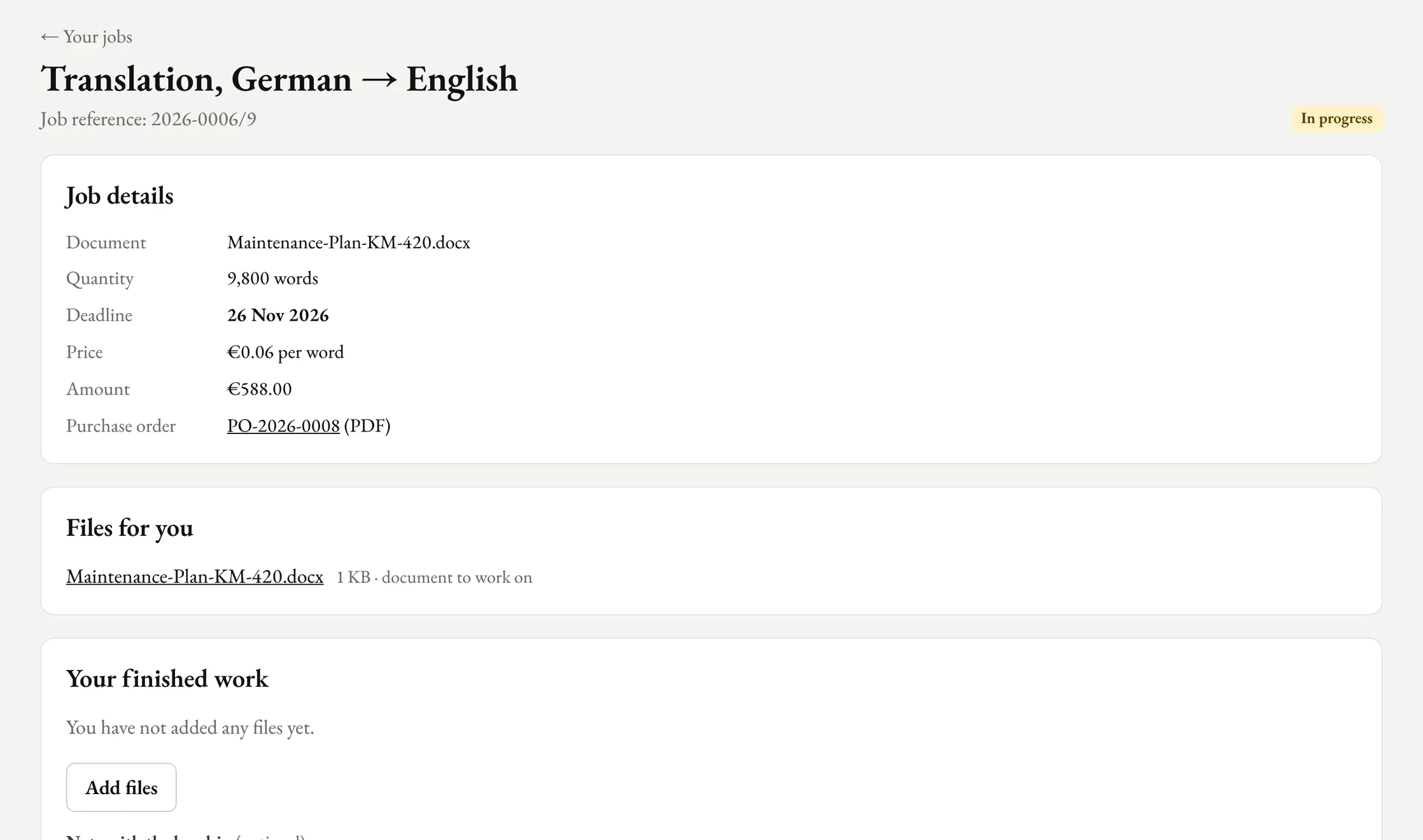
Job page
Files to download, the purchase order as PDF and a form for handing in the finished work. Monthly statements are on the same portal.

One price, no subscription
You get the same system we use every day, installed on your own server.
- Perpetual licence for your company
- Unlimited project managers, translators and projects
- Installed on your server: your data stays with you
- Your logo and company details on every page and document
- Installation and a detailed manual in English
On sale now
TRAVERSE.PLUS for translation companies
Central system, client portal and translator portal, licensed to one company for its three addresses.
€10,000 one-off payment
Try it for 14 daysRuns on ordinary web hosting with PHP 8.1 or newer. No separate database server is needed.
Try it for 14 days before you buy
You work in the complete system on our server. There is nothing to install.
Write to us
Send us your company name and e-mail address.
Receive three addresses
Central system, client portal and translator portal, each with its own account and sample data.
Work in it for 14 days
After 14 days the access ends and everything you entered is deleted.
The manual
Every page of the system, step by step, with pictures.