
Translate documents with your translation memory and Claude
TRAVERSE.STUDIO is a translation program for Windows. It fills in what your translation memory already holds, translates the rest with Claude and gives you the file back in its original format.
Free for 14 days, then €15 a month or €150 a year
- Free for 14 days
- Your files stay on your computer
- Trados, memoQ, XLIFF, Office and InDesign files
Watch the demo
Under two minutes: a Word manual translated from English into German, with a translation memory and Claude.
The video plays from YouTube.
How it works
From a free account to your first translated document.
Create an account
It is free. We send you an e-mail to confirm your address.
Download and install
For Windows 10 and 11. Sign in to the program with the same account and add your Claude API key.
Translate for 14 days
Every function works during the trial. Your projects and memory stay on your computer.
Subscribe
€15 a month or €150 a year, paid through PayPal. The subscription renews until you cancel it.
What the program does
Click an image to see it full size.
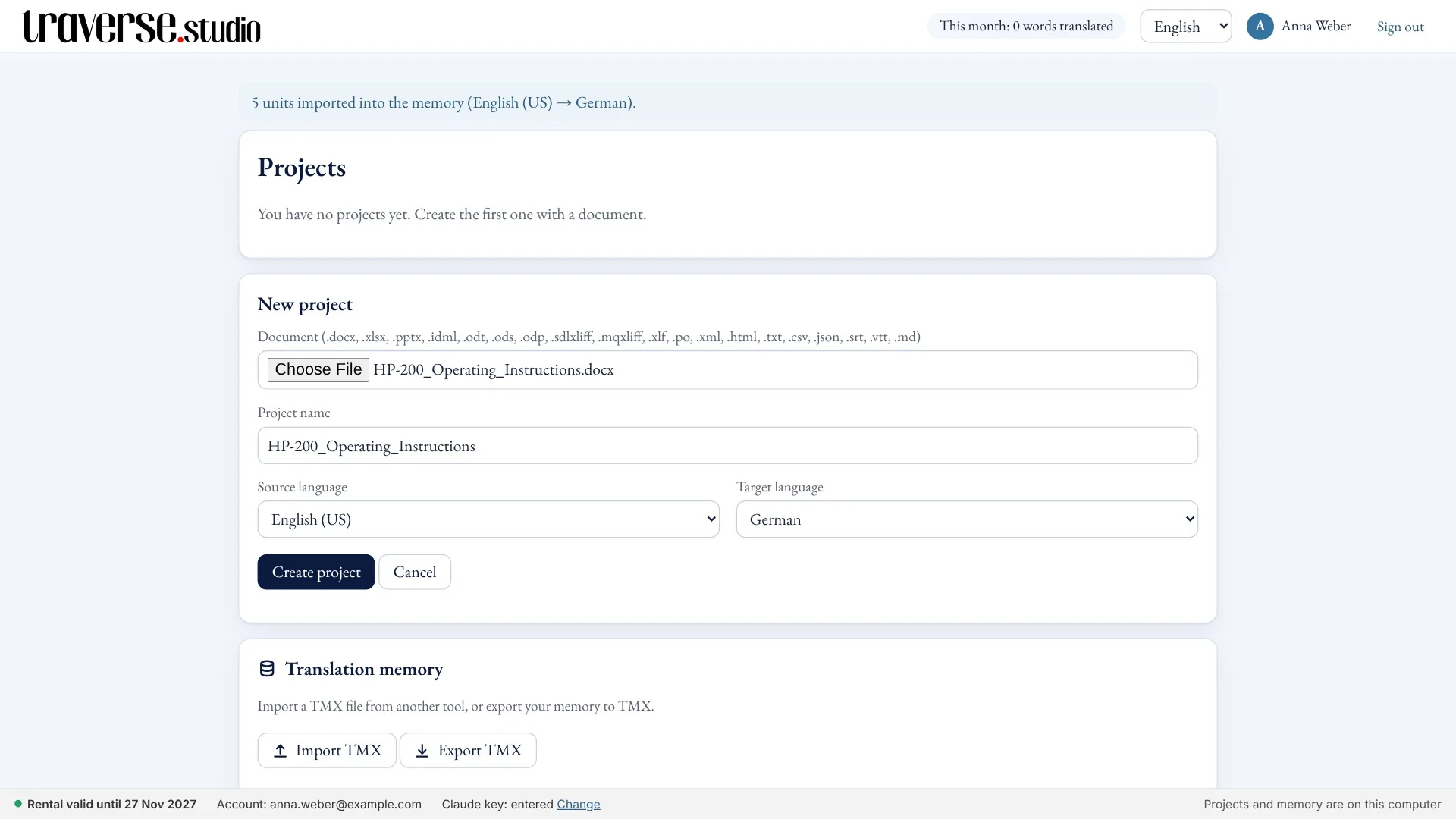
Start a project
Choose a document, the language of the source text and the language of the translation. Trados, memoQ and XLIFF files bring their languages and existing translations with them.
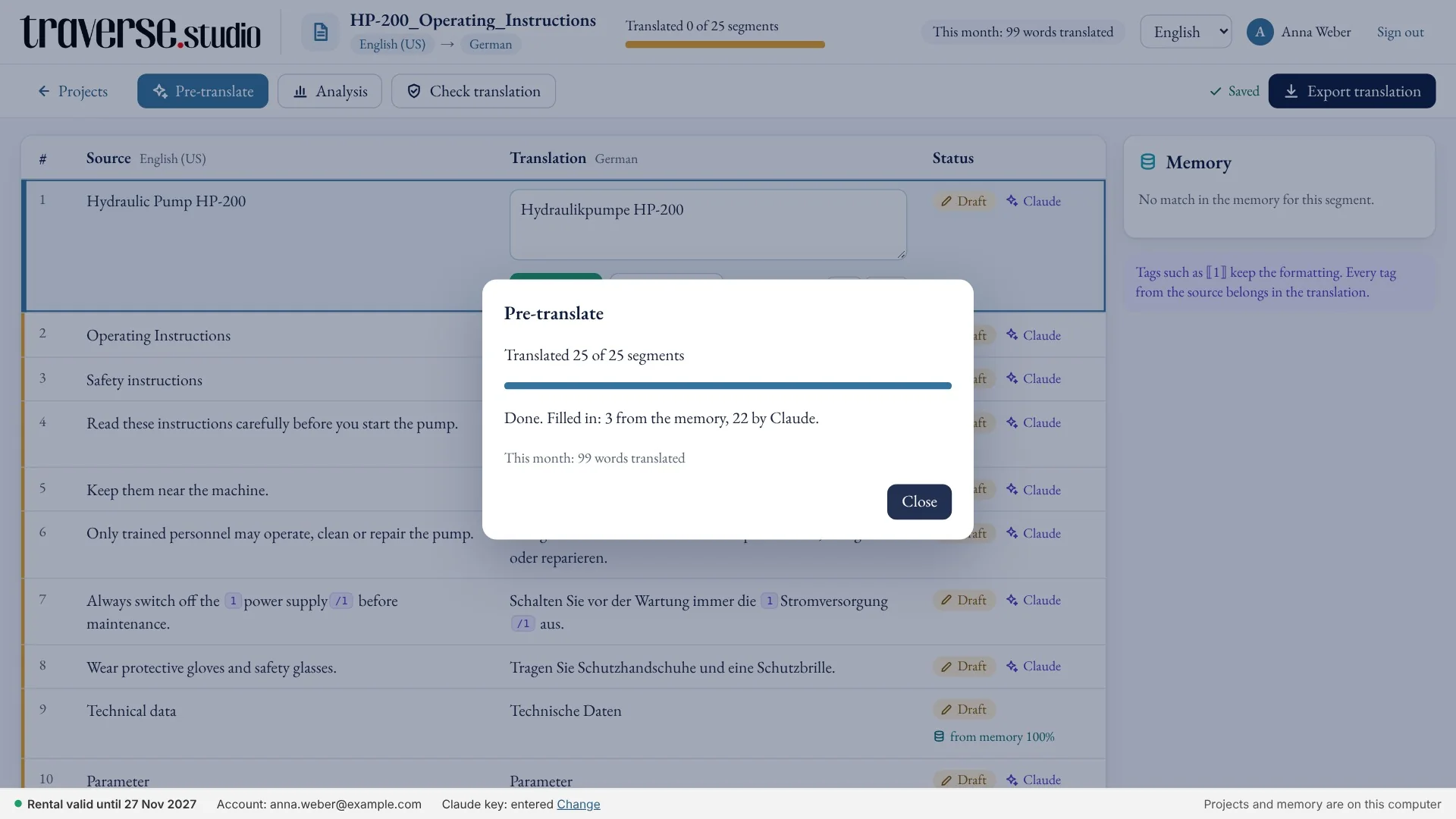
Pre-translate
Empty segments are filled in from your translation memory, from the match percentage you choose, and Claude translates the rest.
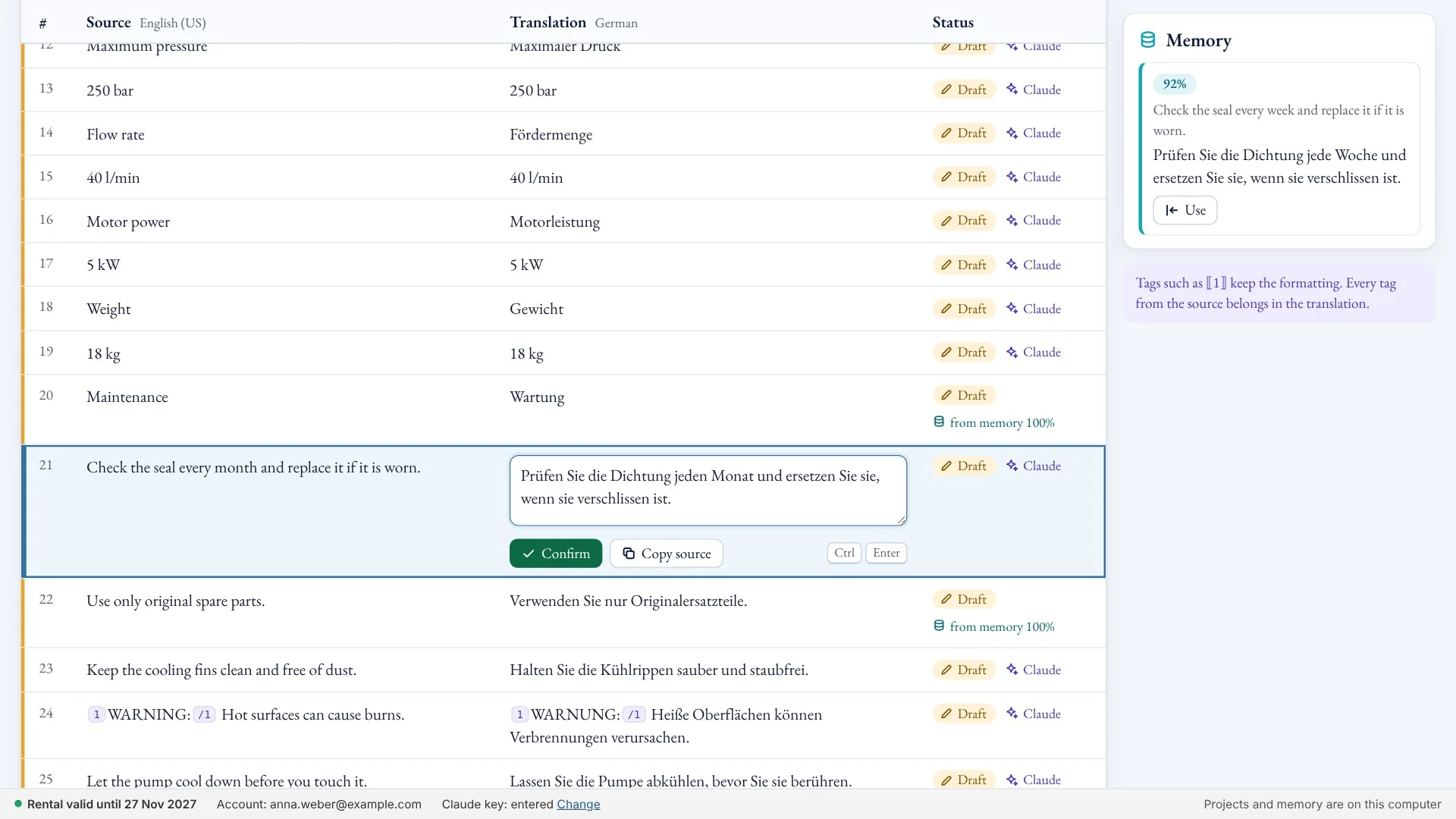
Review with your memory
You type the translation in the field on the right. Matches from your memory appear beside it, and Ctrl+Enter confirms the segment and moves to the next one.
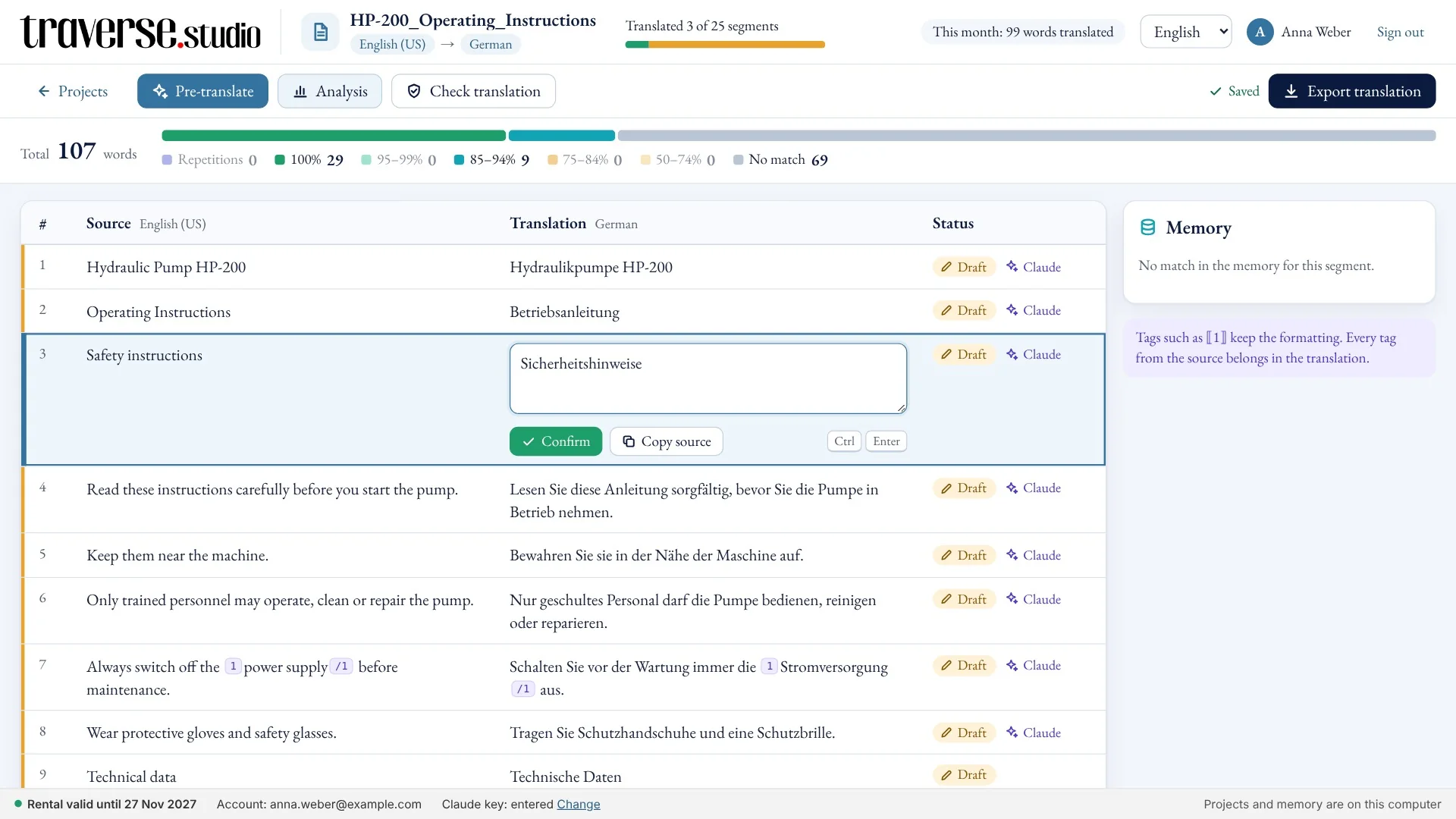
Word count by match type
The analysis counts the words in the document by match type, so you can prepare your quote.
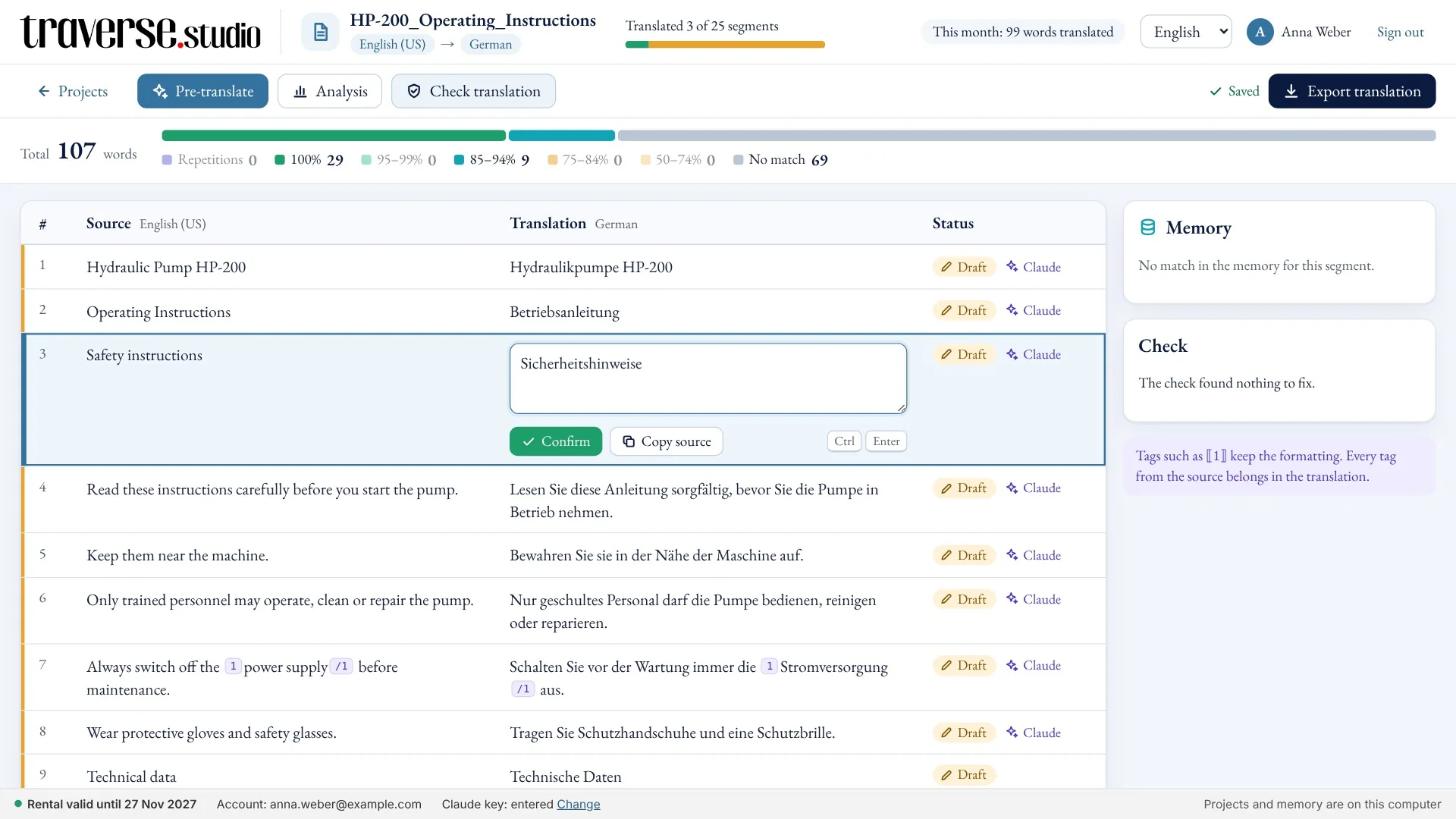
Check before you export
The check looks at tags, numbers and empty segments before the file goes back to your client.
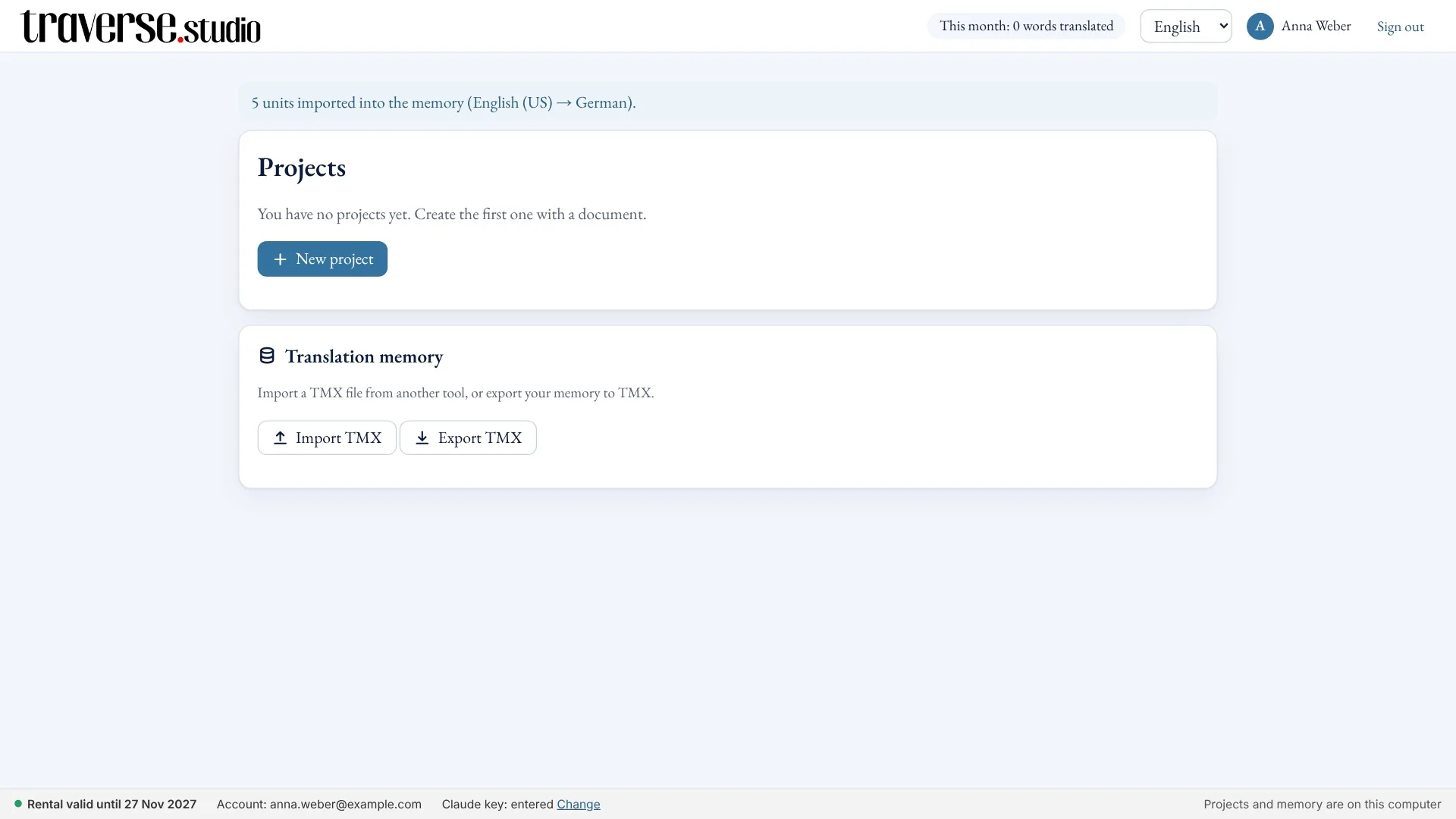
Translation memory and TMX
Import TMX files from Trados, memoQ or another tool, and export your memory to TMX with full language codes.
Files it opens
- Word (.docx)
- Excel (.xlsx)
- PowerPoint (.pptx)
- InDesign (.idml)
- LibreOffice (.odt, .ods, .odp)
- Trados (.sdlxliff)
- memoQ (.mqxliff)
- XLIFF (.xlf, .xliff)
- PO and POT
- XML
- HTML
- TXT
- CSV
- JSON
- Subtitles (.srt, .vtt)
- Markdown (.md)
The translation is exported in the same format. Trados, memoQ, XLIFF and PO files keep their names, so your tool recognises them again. Old .doc, .xls and .ppt files and PDF cannot be opened.

Your data stays with you
The program runs on your computer. Nothing you translate passes through our servers.
- Projects, translation memory and your Claude key are kept on your computer only
- The text you translate goes only to Claude, through your own key
- Anthropic charges you directly for what Claude translates; our price covers the program
- One account works on up to two computers
Prices
Try the full program first. Subscribe when the trial ends.
Free trial
Free 14 days, once per account and computer
1 month
€15 €15.00 a month
1 year
€150 €12.50 a month
What you need
Windows 10 or 11, your own Claude API key from the Claude Console, and an internet connection when the program starts. It checks your subscription and works offline for up to 7 days.
Prices are in euros and do not include VAT or sales tax. The subscription is paid through PayPal and renews automatically until you cancel it. A PayPal fee of 8.2% is added to the price at checkout. See our Refund Policy.